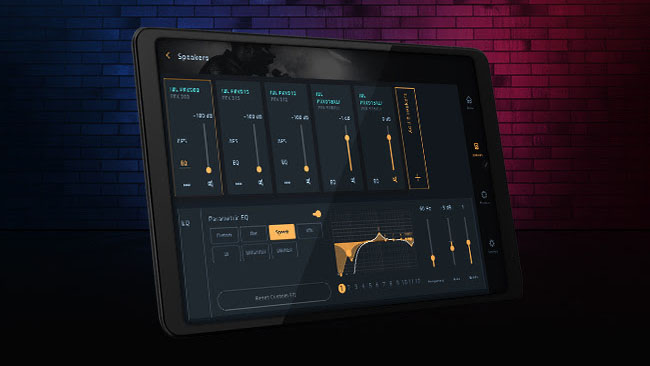
Leiria, Portugal (April 12, 2023)—Software company Sound Particles has introduced a 3D synthesizer, SkyDust 3D.
SkyDust 3D is a virtual instrument with full 3D audio support, fully integrating the Sound Particles 3D engine with a polyphonic synthesizer. It enables an operator to, as examples, use MIDI aftertouch to control 3D position, or EGs that control the movement of each note, or an LFO to change the elevation of notes, creating an arpeggio that moves through space.
The software synth supports more than 30 output formats, including stereo, 5.1, 7.1, 7.1.2 (Dolby Atmos), 9.1.6, Ambisonics (up to 6th order) and binaural (3D sound over headphones), among many others.
Nuno Fonseca, founder and CEO of Sound Particles says: “Spatial audio has been in the domain of mixing for a long time. Now, SkyDust 3D brings spatial audio into the domain of the musician. This will not only change the way music is created but it will also provide artists with a whole new world of creative possibilities. We believe that this will go down in history as a defining moment on the evolution of music technology and we are honored to be part of it.”
SkyDust 3D is available starting April 12 on the Sound Particles website for a launch discounted price of $299 for the spatial version and $149 for the stereo-only version.
Apple started its Apple Music Classical service in the present day. It makes use of expertise developed by Primephonic following Apple’s shopping for of the Amsterdam-based streaming service in 2021. The app runs on iPhone iOS 15.4 or later and desires an Apple Music (however not Voice) subscription. At the time of launch, the service shouldn’t be in China, Japan, Korea, Russia, Taiwan and Turkey.
Apple Music Classical hyperlinks with Apple Music. It recognises how classical music followers entry music differs from different audiences. It can search by artist and even catalogue quantity and contains curated playlists. The service offers knowledgeable filters akin to ‘interval’, ‘choir’, ‘ensemble’ and others underneath a ‘Catalog’ tab. Apple claims to stream over 5 million classical albums in as much as 192kHz, 24-bit Hi-Res Lossless format. Also, these with Dolby Atmos-enabled headphones and IEMs can hear albums in spatial audio.
Apple Music Classical: no shuffle, no downside
Apple turned off the shuffle operate. You can’t obtain albums instantly however add them to a playlist. You can obtain albums on that playlist to Apple Music.
Primephonic’s customized details about artists, composers, conductors and recordings is right here. The service contains profiles and different details about essential works, making a much less ‘floor’ atmosphere than different companies.
Classical music will nonetheless seem on the usual Apple Music app. The Apple Music Classical help doc claims, “Recordings, works, and composers gained’t seem within the Apple Music app and could be accessed solely within the Apple Music Classical app.” While each apps work collectively, this may isolate classical music from its common viewers. Many won’t obtain the app and are actually at one take away from Apple’s classical stock. This may create a ‘walled backyard’ of classical music.
iPhone solely
In addition, the iPhone-only nature of the service is a fear. Many older listeners won’t – or can’t – view classical music on a smaller display. Users with Apple Music on different gadgets should use an iPhone to entry many classical recordings. The bigger iPad is an apparent alternative; the service can run on an iPad. However, it does so with an iPhone-like display measurement and side ratio.
Apple Music Classical (like Primephonic earlier than it) ‘will get’ music in a fashion a classical viewers understands. The horrible state of streamed classical music exhibits why this service should occur. However, because it stands, this won’t pressure different streaming companies to enhance.
Enter the ecosystem
Apple Music Classical should play on extra gadgets, together with these inside Apple’s ecosystem. However, I applaud Apple for not merely burying the companies offered by Primephonic. It’s good that the music is in Hi-Res, Lossless from the outset. Making the service part of Apple Music moderately than one other subscription service is superb.
Country star Chris Young kicked off the 12 months with a sold-out run that included the ten,000-seat Mohegan Sun Arena in Uncasville, Conn. PHOTO: Paris Visone.
Nashville, TN (March 20, 2023)—Chris Young has by no means been one to take a seat nonetheless; since bursting onto the charts in 2006, the singer/songwriter has amassed a truckload of number-one Country singles and a fervid following that catches him each time he goes on tour. In January this 12 months, the Grand Ole Opry member dropped two new singles, “Looking For You” and “All Dogs Go To Heaven,” to tease his upcoming ninth album, and to underline their launch, he headed out on the highway for 4 exhibits as properly—a preamble to a giant 12 months forward that may embrace a string of spring dates, festivals over the summer season after which a full-on enviornment tour within the fall.
The concert events additionally served as a chance to shake issues up a bit bit. While the nation star and his band nonetheless knocked out the hits, in addition they road-tested a brand new setlist, the brand new songs—and a brand new home engineer, too, with Erik Rogers taking up the FOH combine place. While Rogers spent the previous couple of years mixing heavy acts like Godsmack, Avatar, Breaking Benjamin and Falling in Reverse, he welcomed the possibility to dive into nation once more: “I blended a rustic artist, Dustin Lynch, for fairly some time, and again in 2017, one of many acts we opened for was Chris Young. The tour supervisor, Bill Cracknell, remembered me; we had a cellphone name a number of weeks in the past and right here I’m.”
The quick Winter run of sold-out on line casino arenas gave everybody on and off-stage time to work collectively and guarantee the whole lot was on-target earlier than the larger treks later within the 12 months. “The band has been collectively for a very long time, but it surely’s a predominantly new crew,” Rogers defined. “Everybody is aware of what they’re doing, however now we now have to do it collectively and current it to a roomful of strangers each night time as if we’ve been doing it collectively for 20 years! We did every week of rehearsals in Nashville, had 4 exhibits to dial it in and we’re already a well-oiled machine.”
The exhibits weren’t a warm-up, nevertheless—they ran pink sizzling from the beginning, with each the artist and audiences leaning into it. “Even the brand new songs that had been simply launched, the viewers already is aware of each phrase,” Rogers marveled, “after which you’ve the massive hits the place not solely do they know each phrase, however they scream them! It’s cool to have an viewers that engaged.”
While some mixers may pound the amount to get the combination over the group, Rogers prefers to maintain the SPLs civil. “I let the followers get it out of their system,” he chuckled. “Our present stays proper round 100 dBA averaged over 90 minutes. Of course, there are louder and quieter spots, they usually contribute to that—I measured the viewers the opposite day at 106!”
Hitting the highway with Chris Young, FOH engineer Erik Rogers has been mixing on a Yamaha Rivage PM10 console for the primary time. PHOTO: Paris Visone.
Both the home and monitor positions are centered round Yamaha Rivage PM10 consoles, supplied by Young’s longtime audio firm of alternative, Sound Image Nashville. Rogers and John Weaver—Young’s monitor engineer since March, 2020—every get 56 inputs coming from the stage; whereas the 2 PM10s are impartial methods, they’re additionally networked along with one taking the opposite’s outputs, and all talkback and chat loops run by means of fiber solely.
Joining the Chris Young camp marks the primary time Rogers has labored with a Rivage desk, barring one night time filling in on a Bush tour 5 years in the past. “While there’s a studying curve, that’s the case with any console,” he identified. “My expertise thus far is that it sounds nice, operates properly, and when you wrap your head round the way you patch, assign DSP for plug-ins and issues like that, it’s identical to some other desk, besides that it sounds actually, actually good. I do know colleagues that take the Rivage out with Shinedown, Luke Bryan and Garth Brooks, they usually all swear by these desks; after utilizing it for 4 exhibits, I can see why.
“One factor I’ve discovered concerning the Yamaha is to belief the desk,” Rogers added. “I attempted to make use of some outboard plug-ins, they usually don’t sound nearly as good. To me, time-aligning the whole lot to exit of the console and again in wasn’t definitely worth the work to make it sound correct, as a result of the whole lot on the desk—the Rupert Neve Designs SILK processing, the Portico plug-ins and the opposite Yamaha options in there? You can’t beat ’em. They sound actually good, so I’m simply utilizing the desk.”
That mentioned, there have been a handful of Waves plug-ins used for combine buss processing, hosted externally on a Mac Studio operating Audioström Live Professor software program and Audinate’s Dante Virtual Soundcard. “The cool factor about Live Professor is that it could run any plug-in native with out a server,” he defined, “so you’ll be able to have Sonnox, Brainworx, Waves, all of those a number of producers’ plug-ins on the identical platform.”
With the crew altering however the band staying the identical, the miking for the seven musicians onstage and their guitars’ ISO cupboards has remained the identical as properly. “Chris owns all of his mics, and it’s a smorgasbord—Beyerdynamic, Telefunken, Sennheiser; there’s a bit one thing off the buffet for everyone up there proper now,” mentioned Rogers. “I’ve began engaged on mic placement and doing a little fine-tuning, however I’m conserving in thoughts that these guys are very pleased with their in-ear mixes. Any adjustments should be achieved in live performance with John, our monitor engineer, as a result of issues that I would transfer for nuance at front-of-house might trigger drastic adjustments for in-ears and make life very tough for the folks onstage.”
In the previous, the band’s monitor mixes had been dealt with with a mixture of sidefills and JH Audio JH11 in-ear screens, however that’s altering for 2023, mentioned Weaver: “Chris Young is transferring from utilizing sidefills and just one in-ear monitor, to utilizing each in-ears all by means of the present, with no sidefills in sight. The Rivage PM10’s EQ and the Portico 5043 compressor with the dynamic EQ actually helped with getting the readability we would have liked of their in-ears to attain this large change.”
While the autumn tour will carry full manufacturing, the fast on line casino enviornment run picked up native stacks and racks, so audiences had been handled to line arrays from L-Acoustics, Meyer Sound, RCF and Electro-Voice. Regardless of the P.A., at each cease, followers heard Young and his band clean up his setlist staples whereas additionally including some new soon-to-be favorites, leading to concert events that stored issues feeling new but additionally acquainted. With that in thoughts, Rogers stored the mixes true to what was coming off the stage—not replicating the report, however not heading into the nice unknown both.
“In dialog with the artist and administration, they needed one thing that felt stay and uncooked,” mentioned Rogers, “however once you’re mixing an artist that’s bought dozens of plaques on their wall for large hits, you’ve bought to maintain the tonality of the track comparatively near the unique intent, so that each one these hits sound like what folks have been listening to for 17 years. When you’ve a fan base that loyal, you don’t wish to instantly change the whole lot. There are parts and melodies which can be essential, and we take note of these issues. But then there’s additionally the massive nearer, ‘Aw Naw,’ which begins off as a rustic track and finally ends up with a giant rock’n’roll jam for the tip of the night time. That’s nowhere on the report—that’s the sound of a band having a whole lot of enjoyable!”
Northridge, CA (February 23, 2023)—Many of JBL’s moveable PA methods have one thing in widespread—distant, in-depth management through the corporate’s JBL Pro Connect app, which permits customers to customise mixer, DSP, and Bluetooth options in JBL PRX ONE, EON ONE MK2 and EON700 moveable PA methods. Now each the free iOS and Android editions of the app have been up to date with quite a lot of new options.
JBL Pro Connect’s interface works in each panorama or portrait viewing modes, permitting customers to remotely regulate and management options on a number of audio system from wherever within the room. The app’s options together with setting quantity ranges, adjusting EQ, activating Lexicon reverb and results and dbx Digital DriveRack sign processing, custom-made ducking, saving and recalling presets and extra.
New options and updates within the V.11 version of the app embody BLE safety for column audio system; a {hardware} system lock; handbook scanning for accessible audio system; Bluetooth connection safety enhancements; appropriate audio system itemizing; incompatible firmware notification; and stuck EQ step will increase for column audio system.
JBL Pro Control V.11 additionally sports activities quite a lot of app-exclusive options and speaker settings together with snapshots, multi-speaker grouping, faucet tempo and extra. The app additionally permits customers to activate ducking, making certain voices stand out over background music; regulate Lexicon reverb, refrain and delay results; regulate the accessible parametric EQ; and extra. A complete of eight sound presets are supplied and customers can customise their very own to style. Using the app, customers can after all regulate grasp quantity and supply ranges, in addition to set off dbx Automatic Feedback Suppression (AFS) to get rid of suggestions and apply dbx Digital DriveRack sign processing.
Text Navigation and Multiple Speaker Detection are new features for the Audio Editor in RX 10 Advanced.
MIX VERDICT: iZotope RX 10 Advanced
THE TAKEAWAY: “If you work in post, you must own RX 10 Advanced.”
COMPANY: iZotope • www.iZotope.com PRICE: RX 10 Advanced $1,199; RX 10 Standard, $399; RX 10 Elements, $129. PROS:
• Upgraded Spectral Recovery and De-hum often work miracles
• Repair Assistant provides quick, serviceable solutions for dialog tracks.
• Text navigation works great if used on correctly transcribed words. CONS:
• Text transcription is highly inaccurate and editing it is time-consuming.
• Repair Assistant’s De-noise processing block lacks noise-soloing mode.
Over the past decade-plus, iZotope RX has grown in favor to become the 800-pound gorilla ruling post-production sound. With the release of RX 10 Advanced, the beast just put on more weight.
As with past releases, leaner versions of the software bundle—RX Elements and RX Standard—are also available for less coin. All versions are now largely compatible with Apple’s M1 chip. (Using M1 native mode, Spectral Editor and Music Rebalance only work in the standalone Audio Editor.) New features for the Advanced version are reviewed here, focusing on the Audio Editor (as my experience with its new modules and corresponding DAW plug-ins was virtually identical).
SEARCH AND RESCUE
When you click the Speech Recognition Word Lane button below the bottom-left corner of the Audio Editor’s spectrogram, RX immediately begins to transcribe your dialog track’s audio into text at seven to nine times the speed of real-time. The text appears in the horizontal Word Lane immediately above the spectrogram, in tabs that are spatially synched to the waveform below.
Zoom in enough and each tab shows just one word. Now you can click on a word tab to select the corresponding audio in the spectrogram; expand the selection by dragging the word tab’s opposing handles to the left and right. If a word has been transcribed incorrectly, double-click it and type in a correction.
You can search for different words, or even individual letters, and RX will list all instances (and soundalike variations) of it in a navigable sidebar; clicking on an item in the list moves RX’s playhead to that word in the Word Lane and highlights the corresponding audio. Doing so helps you find an instance where a word was spoken most clearly so you can copy and paste the corresponding audio to where its iteration was less understandable.
Available in RX Advanced only, the new Multiple Speaker Detection function automatically identifies up to eight speakers in a dialog track and assigns the text for each a different color in the Word Lane. Click on a speaker’s editable, color-coded name in the GUI’s left pane to select all instances of its corresponding audio.
The rebuilt Repair Assistant module suggests control settings for five processing blocks that vary according to the Source Type you select.
The completely rebuilt Repair Assistant module—also included in plug-in form—automatically loads five processing blocks that vary according to the Source Type you select for your audio: Voice, Musical, Percussion or Sound FX. Pressing the module’s Learn button prompts Repair Assistant to analyze the selection you’ve made in RX’s spectrogram and suggest (mostly invisible) settings for reducing clipping, clicks, noise, reverb and sibilance.
Dragging a block’s macro control adjusts its overall degree of processing, the only parameter adjustment afforded; an Ear button informs how much you should push it by soloing what audio (the goal being just noise) is being removed. Curiously, the De-noise block doesn’t include an Ear button.
The upgraded Spectral Recovery processor—included only as a module in the Audio Editor for the Advanced version of RX 10—can add synthesized low frequencies to restore bandwidth-starved audio tracks. (The quality of re-synthesized high frequencies has also been improved.) Pressing the module’s Learn button sets high and low cutoff frequencies for processing, respectively above and below which synthesized spectra are added to restore fidelity to your audio selection. Manually fine-tune settings for the High Cutoff and Low Cutoff sliders if you wish, and then move the High Gain and Low Gain sliders to adjust the level of synthesized frequencies added in the two bands.
RX’s De-hum module—also included as a DAW plug-in—has been upgraded to include an Adaptive mode that adjusts its notch filters in real-time in response to hum that changes pitch. The Audio Editor also now allows you to apply Selection Feathering to smooth the transitions for processing at both ends of a frequency range selected in the spectrogram.
IN RECOVERY
Using Spectral Recovery on a severely bass-deficient oration that was recorded to cassette tape decades ago, I was able to dial in the perfect amount of bass energy below 250 Hz. The result sounded amazingly smooth, natural and full-bodied, transforming the track in a way that was impossible to achieve using conventional EQ.
The De-hum module’s Adaptive mode was equally impressive. On an electric guitar track, the new mode dramatically reduced extreme hum and buzz (nearly as loud as the instrument itself!) that the legacy Static and Dynamic modes couldn’t touch. Default control settings reduced bass content and sustain for the lowest guitar notes to an unacceptable degree. But lowering the Sensitivity slider and raising the Filter Q control restored low frequencies and sustain to the point that the tradeoffs were totally acceptable and the result was a massive improvement over the sound of the (totally unusable) unprocessed track. The cherry on top was that Adaptive mode delivered good results in mere seconds, versus minutes of virtually fruitless fiddling with the module’s legacy modes.
Selecting Voice for Source Type, I got very good results using Repair Assistant on dialog tracks that were slightly noisy, although I often had to lower the degree of processing in some blocks or bypass them altogether to achieve transparent outcomes.
On dialog tracks with knotty noise problems, tweaking RX’s full-featured modules’ controls—for example, adjusting Spectral De-noise’s reduction curve and De-reverb’s frequency-band sliders—yielded much better results but took exponentially longer. (Spectral De-noise still has an insufficient threshold range—a holdover—to treat quiet dialog transparently.)
On a dialog track recorded in a noisy and reverberant woodworking factory, selecting Percussion for Source Type did a remarkable job in reducing the sound of excessively loud hammering (mitigating its sustain and reverberation mostly) and HVAC noise. The improvements were wrought somewhat at the expense of the dialog’s full-bodied tone and dynamics, but in this extreme case, it was arguably a good tradeoff.
Using Repair Assistant on a noisy singer-songwriter’s master—selecting Music for the Source Type—yielded poor results: the noise was admirably reduced but at the expense of the track losing low-frequency content and having its dynamics sound unnaturally squashed. I couldn’t back off the amount of noise reduction to fully restore fidelity without also restoring the noise level.
On interviews of adult males and females in a full-length documentary film, RX only correctly transcribed about half to three-quarters of words spoken in American English—this despite my first cleaning up the tracks using Spectral De-noise, De-reverb, third-party equalization and gain automation.
RX did a fair job detecting multiple American-English speakers, with some selections of dialog occasionally errantly identified as belonging to the wrong person. Text navigation worked great for properly transcribed or edited words. But as relatively infrequently as I’ve had to search for specific words on past projects, I’d be loath to spend the few hours necessary to edit the Word Lane on an hour-plus program for the convenience of finding a word here or there. Navigating by DAW markers or picture to sections of program featuring the same speaker has allowed me to reasonably quickly find the spoken words I needed.
I should mention that I got virtually identical sonic results using the Repair Assistant and De- hum plug-ins in Digital Performer 11.2 (not yet officially supported for use with RX) as in RX’s corresponding modules for its Audio Editor.
BUY OR UPGRADE?
Text transcription is a great idea whose execution needs more work, but that shouldn’t deter you from buying or upgrading to RX 10 Advanced. The greatly enhanced Spectral Recovery and De-hum’s startlingly effective Adaptive mode will give you an edge you didn’t have before. Also, post engineers will benefit from using Repair Assistant’s lickety-split solutions on I-need-it-yesterday projects with paper-thin budgets. If you work in post, you must own RX 10 Advanced.
Custom Control V1.3 brings a host of new features to the customizable, cross-platform control app.
New York, NY (January 25, 2023)—With the release of Custom Control V1.3 ahead of ISE, Allen & Heath has issued a major update to its app used for controlling AHM, dLive, and Avantis installed audio systems.
Under the new update, multiple AHM, Avantis, and dLive units can now be controlled from a single user interface. There’s also a bevy of useful new widgets including date and time, and horizontal faders and meters; control of LED bars on the CC-7 and CC-10 touch panels; TCP/UDP messages for control of third-party equipment; and new resource packs with custom images for GUI design.
Along with the new features is a revised GUI that is updated with an eye towards customization, as it now offers custom color palettes; object grouping; options to lock the aspect ratio, position, and dimensions of control widgets; transparency setting for images; and more.
While the cross-platform control app now sports new features, it remains available for iOS, Android, Windows and Mac; is accordingly BYOD friendly, and still offers optional password protection.
The app will be on display at ISE 2023 alongside Allen & Heath’s full suite of audio installation solutions, including the AHM series of audio matrix processors and a range of install-focused hardware controllers.
The Grace Design m908 monitor controller has brand-new V2.0 firmware.
Lyons, CO (January 25, 2023)—The Grace Design m908 monitor controller has been a part of many production facilities workflows, and now a V2.0 firmware update will give the unit additional functionality, with an improved web-based set-up and control platform that speeds up integrating the controller into a user’s setup.
The new firmware allows m908 users to not only control all monitoring features, but also load, edit and store all system parameters on the m908 from a web browser on any desktop or mobile device. The update also includes an expanded room correction EQ capability, which now supports 12 bands per channel on all 24 channels at all sample rates—a plus for facilities looking to get Dolby Atmos certification for a room.
“This firmware and software has been a top-priority project for our engineering team” says Grace’s President Michael Grace. “The m908 has a very deep setup environment which can present a steep learning curve when operated on the hardware remote, but this new platform makes setup easy by allowing users to directly edit and store parameters into fields on a webpage.”
Users enter the IP address of their unit into a browser from a device on the same local network. The m908 will automatically serve the control platform to the browser and work from there. There is nothing to download or install.
“We have had the new software in Beta for a good while with a few demanding engineers and studios,” added Grace. “Now it’s ready for prime time and hope it makes current and future m908 owners and operators lives a little better.”