
World News
Using OpenAI’s Audio-Preview Model with Semantic Kernel
Using OpenAI’s Audio-Preview Model with Semantic Kernel
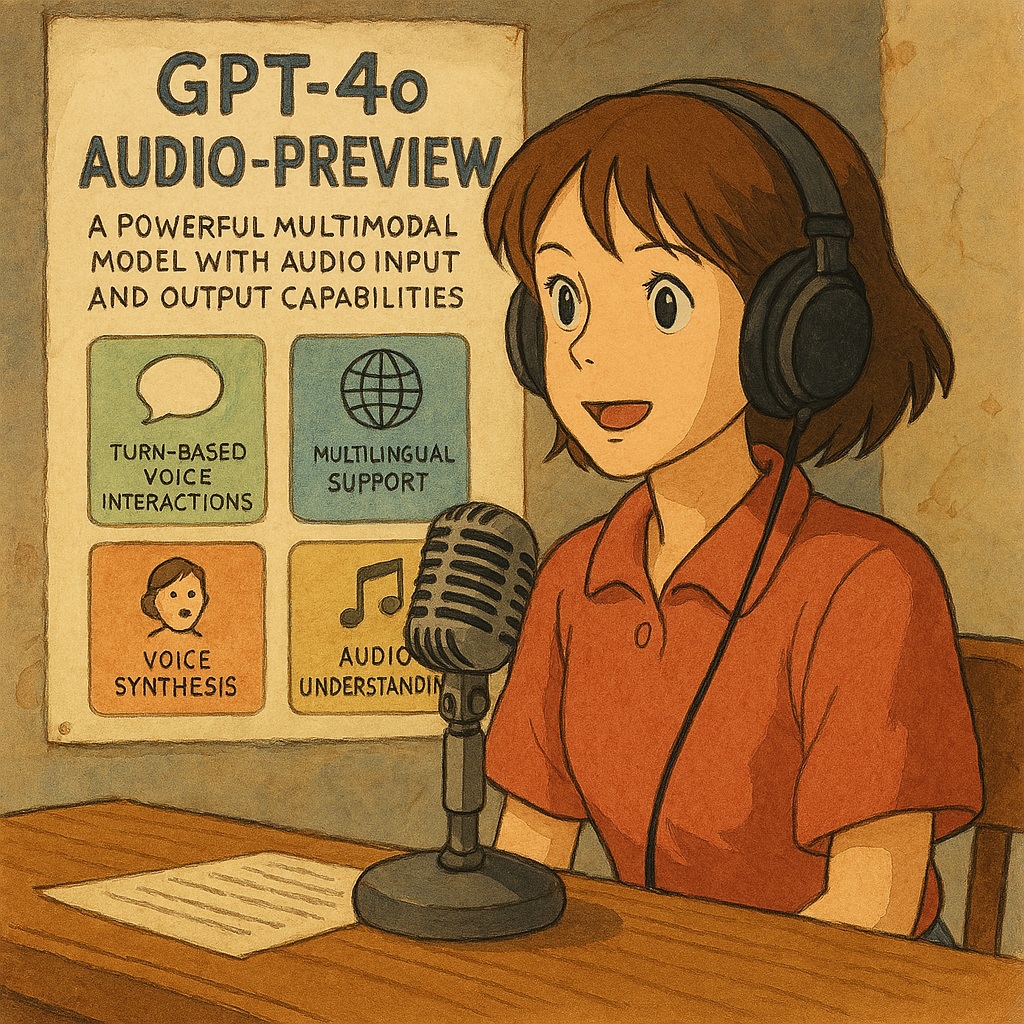
In this put up, we’ll discover the right way to use the audio-preview mannequin with Semantic Kernel in each C# and Python to create voice-enabled AI purposes.
Best Use Cases
Best for turn-based interactions the place full audio messages are processed as discrete models. Suitable for purposes like voice-based Q&A methods, audio transcription with AI responses, or asynchronous voice messaging the place real-time interplay isn’t important.
Key Features of OpenAI’s Audio-Preview Model with Chat Completions API
-
Multimodal Input/Output: Process each textual content and audio inputs, and generate each textual content and audio outputs in a single API name.
-
Turn-Based Voice Interactions: Suitable for non-real-time, turn-based conversational purposes the place every interplay is an entire request-response cycle.
-
Voice Synthesis Options: Generate speech with help for a number of voices (like Alloy, Echo, Fable, Onyx, Nova, and Shimmer).
-
Audio Understanding: Transcribe and comprehend spoken language from audio information.
-
Multilingual Support: Process and generate audio in a number of languages, making it accessible to international customers.
-
Integration with Function Calling: Combine audio capabilities with operate calling to create voice-controlled purposes that may carry out actions.
-
Simplified Development: Single API for each audio enter processing and audio output era, decreasing the complexity of constructing voice-enabled purposes.
-
Batch Processing: Well-suited for purposes the place full audio messages are processed as discrete models fairly than steady streams.
Note: For actually low-latency, real-time voice interactions, OpenAI’s Realtime API is the extra applicable selection. The Chat Completions API with audio capabilities is healthier suited to non-real-time purposes the place some latency is suitable.
Using Audio-Preview in Semantic Kernel
Semantic Kernel supplies an easy solution to combine with OpenAI’s audio-preview mannequin. Let’s see the right way to implement primary audio enter and output performance in each C# and Python.
In .NET (C#)
For a C# challenge utilizing Semantic Kernel, you possibly can add the audio-preview mannequin as an OpenAI chat completion service. Make positive you might have your OpenAI API key (or Azure OpenAI endpoint and key if utilizing Azure):
utilizing Microsoft.SemanticKernel;
utilizing Microsoft.SemanticKernel.ChatCompletion;
utilizing Microsoft.SemanticKernel.Connectors.OpenAI;

// Initialize the OpenAI chat completion service with the audio-preview mannequin
var kernel = Kernel.CreateBuilder()
    .AddOpenAIChatCompletion(
        modelId: "gpt-4o-audio-preview",
        apiKey: "YOUR_OPENAI_API_KEY"
    )
    .Build();

var chatCompletionService = kernel.GetRequiredService<IChatCompletionService>();

// Configure settings for audio output
var settings = new OpenAIPromptExecutionSettings
 ChatResponseModalities.Audio // Request each textual content and audio
;

// Create a chat historical past and add an audio message
var chatHistory = new ChatHistorical past("You are a useful assistant.");

// Add audio enter (from a file or recorded audio)
byte[] audioBytes = File.ReadAllBytes("user_question.wav");
chatHistory.AddUserMessage([new AudioContent(audioBytes, "audio/wav")]);

// Get the mannequin's response with each textual content and audio
var end result = await chatCompletionService.GetChatMessageContentAsync(chatHistory, settings);

// Access the textual content response
Console.WriteLine($"Assistant > {end result}");

// Access the audio response (if out there)
if (end result.Items.OfType<AudioContent material>().Any())
{
    var audioContent = end result.Items.OfType<AudioContent material>().First();
    // Save or play the audio response
    File.WriteAllBytes("assistant_response.mp3", audioContent.Data.ToArray());
}
We have additionally created a C# pattern inside Semantic Kernel repository utilizing audio-preview mannequin right here:
Conclusion
OpenAI’s audio-preview mannequin represents a big development in creating extra pure and accessible AI interactions. With Semantic Kernel’s easy integration, builders can construct voice-enabled purposes that present an enhanced person expertise.
References
The put up Using OpenAI’s Audio-Preview Model with Semantic Kernel appeared first on Semantic Kernel.
HI-FI News
by way of Semantic Kernel https://ift.tt/rKJTpPY
April 3, 2025 at 06:32PM
-
Product on sale
 Audiophile Vinyl Records Cleaning BundleOriginal price was: €69.90.€59.90Current price is: €59.90. incl. VAT
-
Product on saleEasy Start Vinyl Records Cleaning KitOriginal price was: €69.90.€59.90Current price is: €59.90. incl. VAT
-
Vinyl Records Cleaner Easy Groove Concentrate€34.95 incl. VAT
-
Easy Groove Super Set€199.00 incl. VAT
-
Easy Groove Enzycaster – vinyl records prewash cleaner€34.95 incl. VAT
-
Easy Groove Extreme MK. II- vinyl records prewash cleaner€45.00 incl. VAT
-
Vinyl Records Cleaner – Easy Groove Virgin Concentrate€35.00 incl. VAT
-
Easy Groove Spray&Wipe vinyl records cleaner€34.95 incl. VAT







