
World News
Boost iPhone Audio Features With This Simple Bluetooth Tip
Boost iPhone Audio Features With This Simple Bluetooth Tip
In iOS and iPadOS, Apple contains an possibility for customers to specify the Bluetooth equipment they join utilizing pre-defined particular person labels.
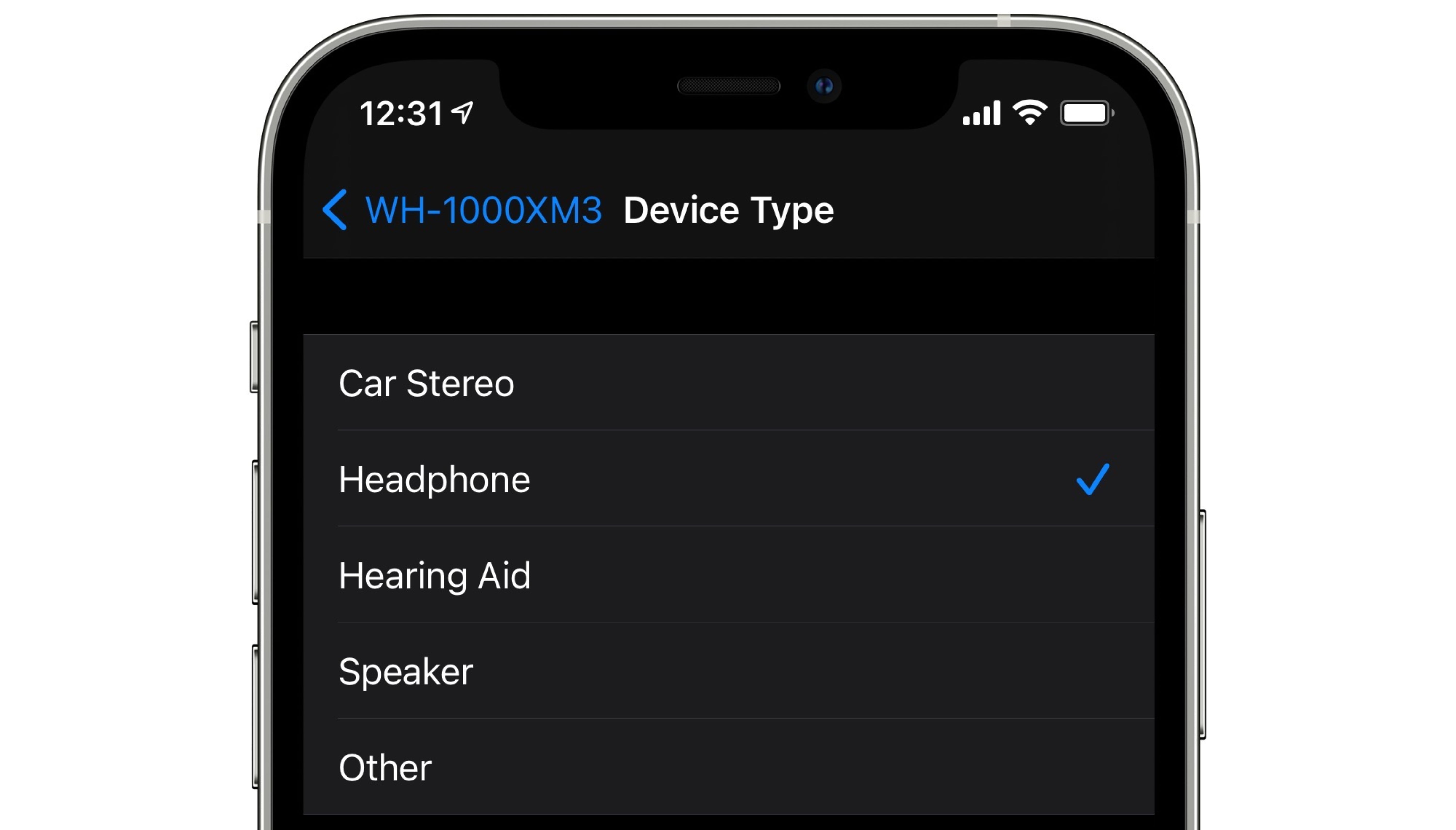
Labeling your Bluetooth equipment helps to determine linked gadgets and enhance audio notifications. Apple says that classifying Bluetooth equipment like this may additionally be sure that real-time Headphone Audio Level measurements are correct.
When utilizing headphones with an iPhone, for instance, you possibly can examine the audio degree in decibels by viewing the Hearing management in Control Center. In the Health app, you may also evaluation the historical past of your headphone listening habits.
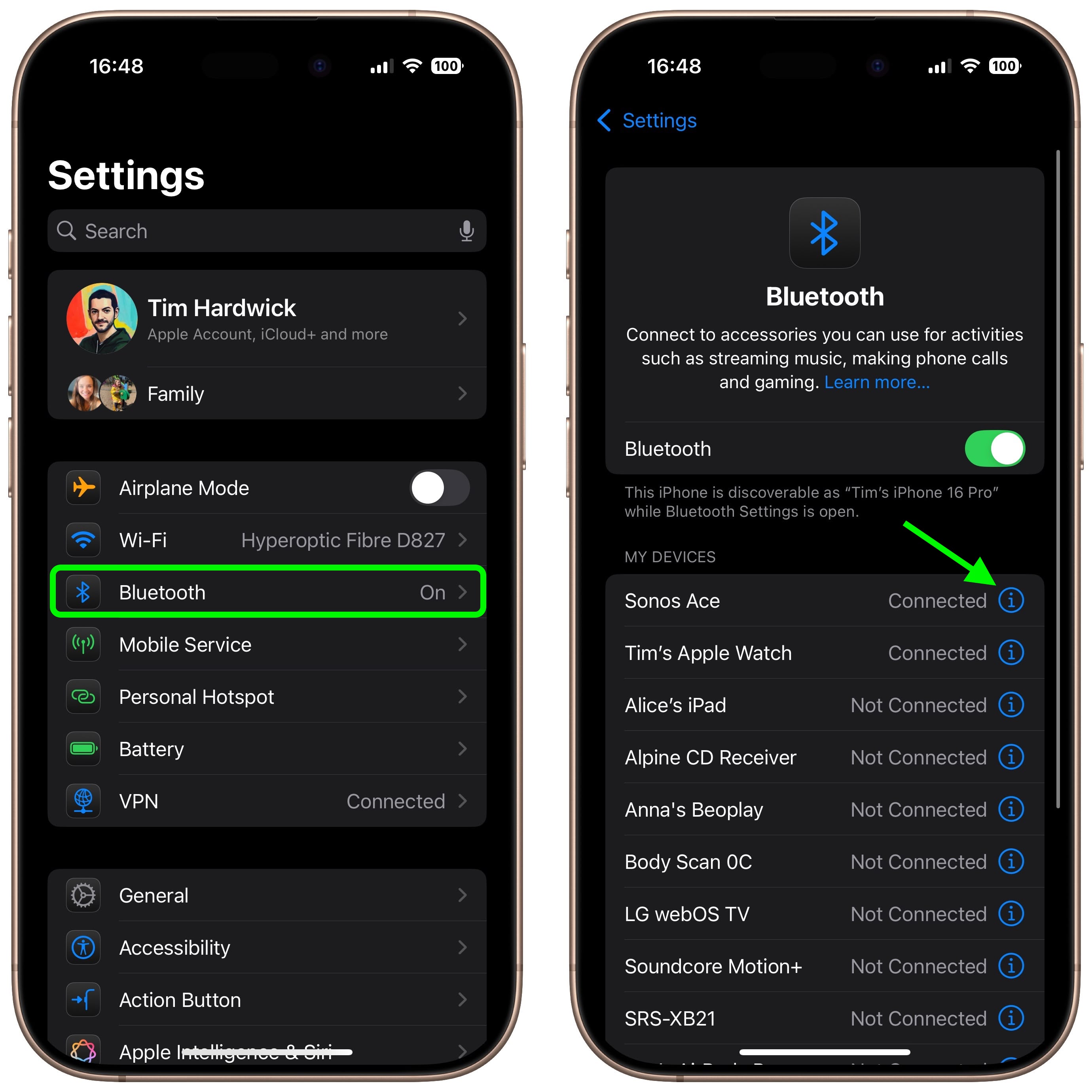
Apple supplies 5 classes with which to label your Bluetooth equipment: Car Stereo, Headphone, Hearing Aid, Speaker, and Other. Here’s the way to entry them.
- Launch the Settings app in your iPhone or iPad.
- Select Bluetooth.
- Tap the data button (the encircled ‘i’) subsequent to a Bluetooth system within the listing that you simply wish to label.

- Tap Device Type.
- Select a label if the accent shouldn’t be already appropriately recognized.
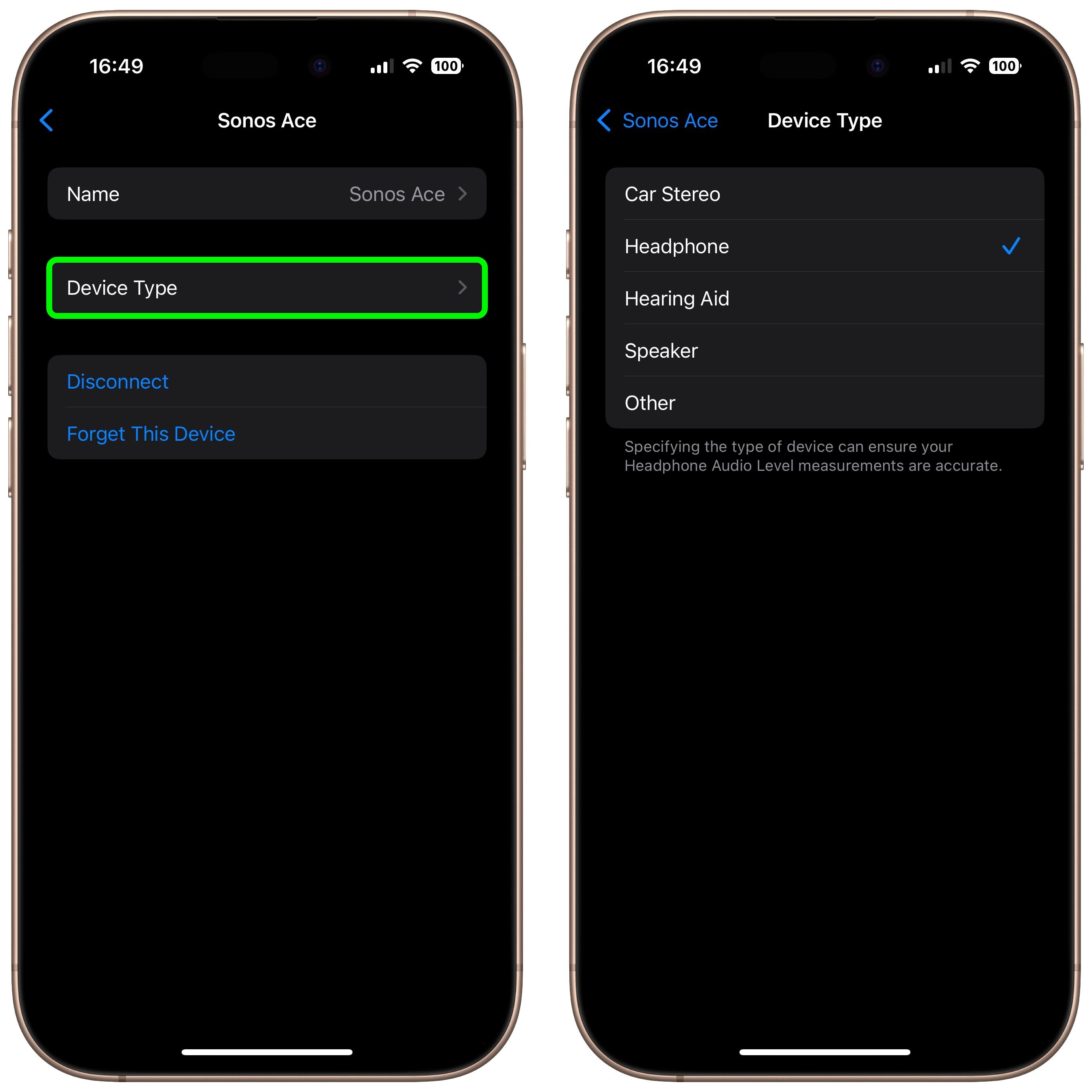
Note that iOS acknowledges AirPods and AirPods Max as headphones, so there is not an possibility to vary their Bluetooth label. (The identical goes for Apple Watch.) However, you possibly can nonetheless change the identify of Apple earphones and headphones as they seem in Bluetooth system lists.
This article, "Boost iPhone Audio Features With This Simple Bluetooth Tip" first appeared on MacRumors.com
Discuss this text in our boards
HI-FI News
through MacRumors https://ift.tt/qsDo17l
May 12, 2025 at 06:16PM
-
Product on sale
 Audiophile Vinyl Records Cleaning BundleOriginal price was: €69.90.€59.90Current price is: €59.90. incl. VAT
-
Product on saleEasy Start Vinyl Records Cleaning KitOriginal price was: €69.90.€59.90Current price is: €59.90. incl. VAT
-
Vinyl Records Cleaner Easy Groove Concentrate€34.95 incl. VAT
-
Easy Groove Super Set€199.00 incl. VAT
-
Easy Groove Enzycaster – vinyl records prewash cleaner€34.95 incl. VAT
-
Easy Groove Extreme MK. II- vinyl records prewash cleaner€45.00 incl. VAT
-
Vinyl Records Cleaner – Easy Groove Virgin Concentrate€35.00 incl. VAT
-
Easy Groove Spray&Wipe vinyl records cleaner€34.95 incl. VAT







