
World News
How to edit audio on iPad
How to edit audio on iPad
Image credit score: Daniel Cañibano
Whether you want to minimize up voice memos on the go or add results to a musical file, these are the very best methods to edit audio in your iPad.
With the announcement of Apple’s upcoming iPads, they’re getting higher and extra highly effective than ever earlier than. It has all the time been a multimedia powerhouse, which means that no matter era of iPad you’ve bought, it’s able to doing nice issues along with your audio.
Whether you’re a musician crafting the proper monitor, a podcaster shaping your newest episode, or a filmmaker including that ultimate contact, your iPad might be your audio modifying studio on the go. With a wealth of apps to create and edit audio on, chances are you’ll not know the place to start out. This information explores a few of the greatest choices for modifying audio in your iPad, catering to completely different wants and talent ranges.
Edit audio with out downloading a factor
Whilst there are lots of (even hundreds!) of apps that can serve you modifying instruments, you don’t essentially must obtain a factor. The iPad comes geared up with a few of Apple’s highly effective native instruments that provide lots to get you began with.
GarageBand (free)
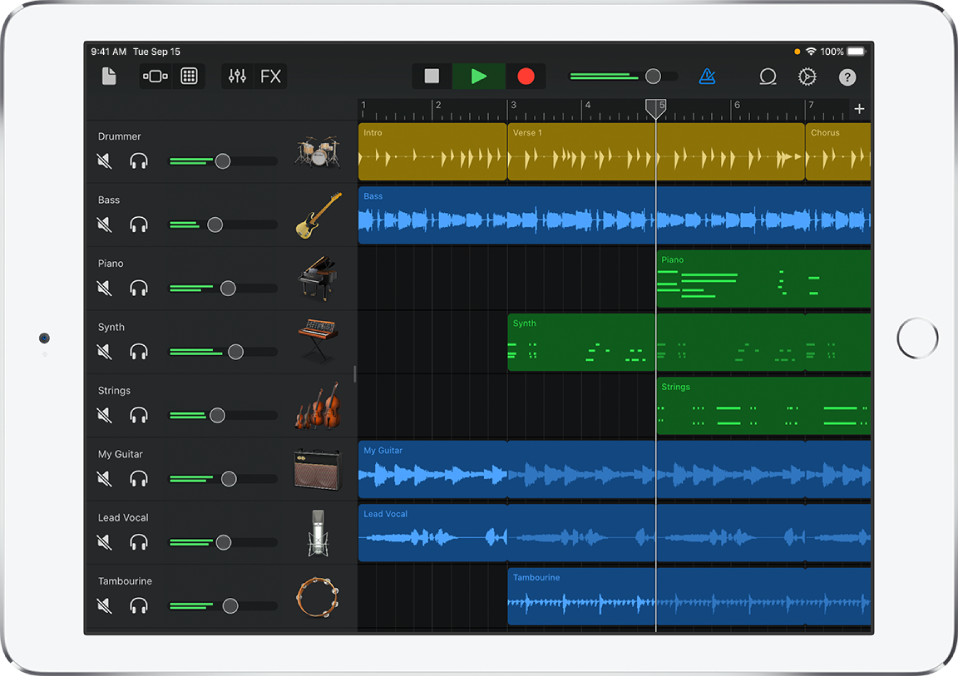
Apple’s free music-making app is packed stuffed with enjoyable. If you’re seeking to improvise musical concepts, GarageBand is stuffed with fascinating devices to play with and its simple to navigate, loop based mostly timeline is conducive to increase superior sounding jams.
This cellular DAW affords a multi-track interface, letting you layer and edit completely different audio clips. You can add your personal audio recordsdata, minimize them up, and add results to change their dynamics.
Pros: It’s free, very enjoyable, and packed stuffed with devices.
Cons: There is a studying curve and its modifying instruments are restricted.
iMovie (free)
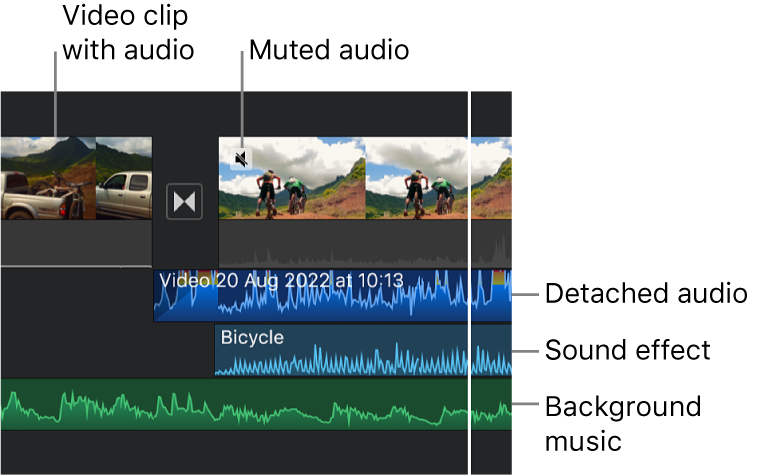
This app could also be made for watching and modifying video recordsdata, however comes with fundamental audio modifying options. You can use iMovie to trim, cut up, and regulate the amount of audio clips.
After modifying audio recordsdata in an iMovie undertaking you possibly can export it as an audio file by altering the Format from “Video and Audio” to “Audio Only” within the Export part.
Pros: It’s free, user-friendly, and simple for fast edits.
Cons: It is proscribed and never designed purely for audio.
Advanced Apple instruments for extra performance
Apple’s free instruments are nice for what they’re, however you possibly can take it to the subsequent stage with their paid applications. Two of their media applications are primarily upgraded, beefier, and extra highly effective variations of the instruments listed above.
Logic Pro for iPad (paid)
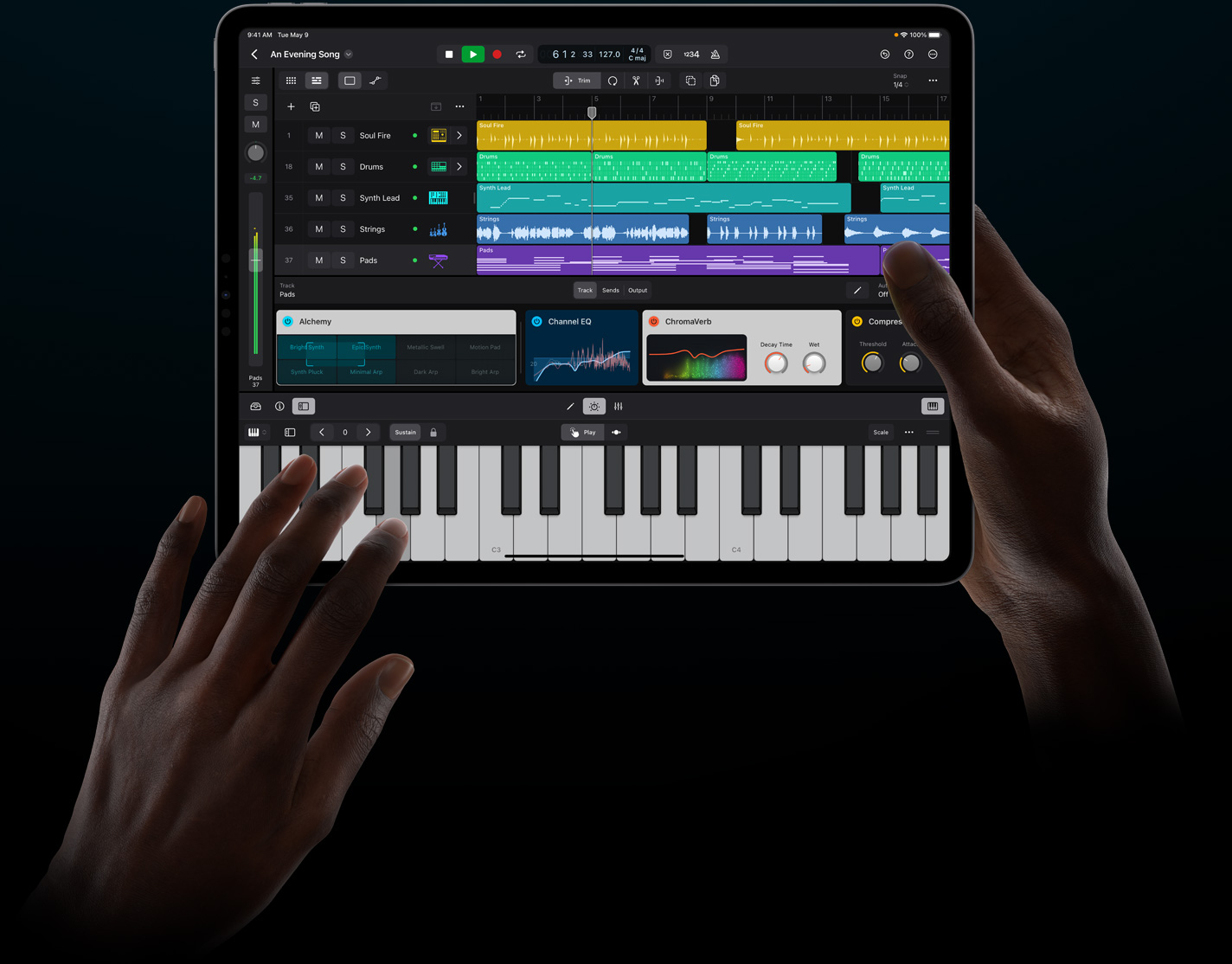
This is Apple’s flagship music software program, a totally fledged DAW accessible in your palms. Logic Pro goes far and past the already creatively empowering prospects of GarageBand, working as a full music studio with a wealth of choices for creation, unimaginable results for customisation, and superior management over modifying and tweaking your songs.
It’s a beatmaker, a music recording program, mixing software program, an AI-powered jamming system, and full music studio. As such, it affords a wealth of choices for creating music in addition to modifying audio precisely the way you need to with an unmatched providing of results and dynamic management.
Pros: Dedicated audio modifying with superior instruments and results, with a wealth of music creation potential.
Cons: Limited monitor rely for creating massive tasks and a studying curve to familiarize yourself with its expansive characteristic set.
Final Cut Pro (paid)
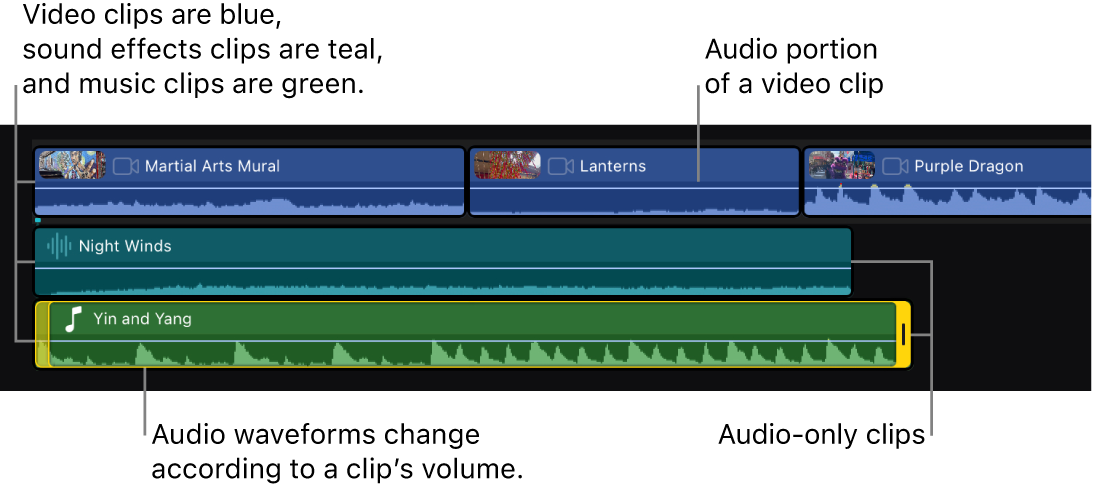
This is Apple’s premium video modifying app. It’s accessible for a similar value as Logic Pro for iPad, at $49 a 12 months or $4.99 a month. For audio modifying and music, this isn’t going to be your best choice between the 2, nonetheless if you’ll be working with video in addition to audio then Final Cut Pro is the selection for you.
This superior video modifying and creation app affords professional video instruments, providing highly effective video slicing and customisation on the go. This is ideal for vlogs, social content material, music movies, and video podcasts with superior audio instruments inside a video modifying powerhouse.
Pros: User-friendly interface making it accessible for fundamental audio modifying with the choice for layers.
Cons: Not a devoted audio-editing program, which means restricted instruments and mixing capabilities.
Expand your horizons with third-party choices
Of course, there are lots of extra apps that aren’t Apple-owned, providing versatile audio modifying instruments for a variety of various functions. We’ll checklist a few of the hottest ones right here, however know that there are lots of extra that we might by no means match into this text which may be price exploring in your private wants.
Hokusai Audio Editor (free)
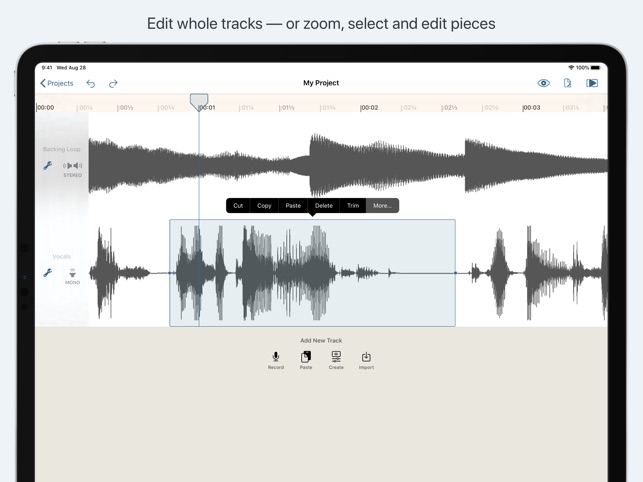
This is a fundamental audio-editing app, however with that simplicity comes the liberty to chop and remodel your audio with ease. You can report straight into the app or import your audio recordsdata into it. Cutting, copying, and pasting instruments permit you to trim your audio as wanted with easy instruments while a set of results together with noise discount permit you to get extra inventive.
Pros: Great for quite simple audio trimming with a hassle-free interface that’s simple to make use of from the beginning.
Cons: Limited software program that isn’t nice for complicated duties and low-quality results that won’t match the ultimate high quality you’re after.
Ferrite Recording Studio (free)
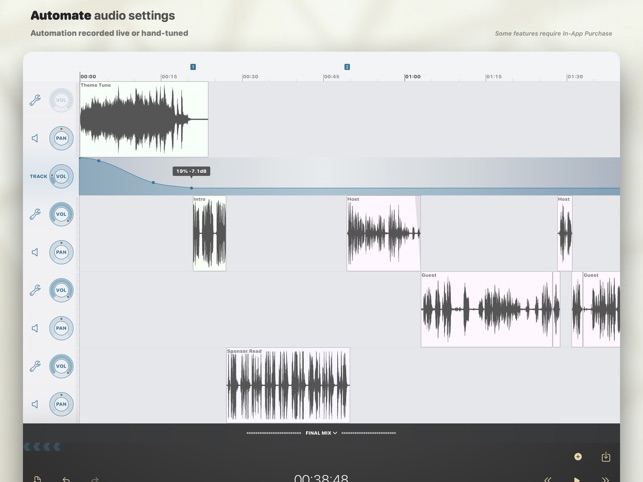
This is an award-winning app that’s tipped in direction of speech-based efficiency. If you’re creating podcasts, radio journalism, recording lectures, voice-overs, or the rest that requires tip-top speech, this can be the app for you.
Ferrite encompasses a easy interface that means that you can enter the app and begin recording with ease. Ferrite guarantees hours of steady recording inside its app. Its multi-track modifying studio affords high quality instruments however presents them in a simple-to-use method.
Pros: An glorious answer for speech-based tasks with high quality and stability assured.
Cons: Not constructed for musical tasks and you want to improve to Pro to make use of it for longer tasks.
BandLab (free)
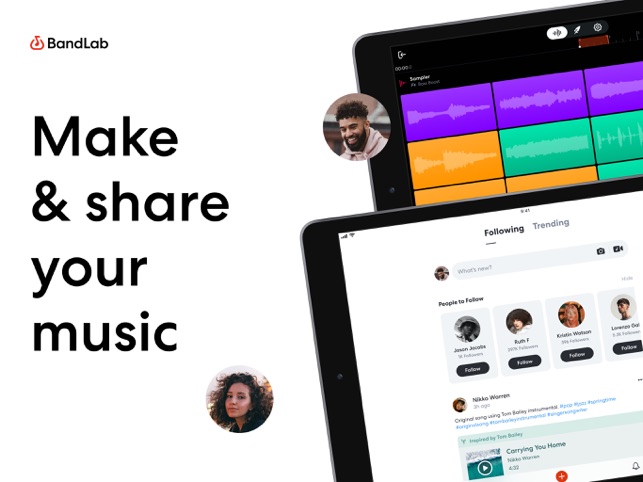
The app that’s taking the world by storm, bringing music creation to over 100 million individuals worldwide. BandLab has made free-to-use music-making accessible to everybody, even with zero musical talent.
Their free app affords a DAW packed stuffed with instruments and devices which might be free to make use of and encourages sharing with the world. BandLab are serving to to remodel music into one thing that’s accessible to all, utilizing digital instruments to make it simple to create.
Pros: Free and highly effective music creation with modifying capabilities.
Cons: Focused extra on the creation and jamming of music than superior modifying instruments.
Conclusion: Which one is for you?
We hope this checklist evokes you with a straightforward alternative of app in your wants. If you’re nonetheless uncertain, then it’s price taking part in round with the free choices and seeing how they go well with you.
If you get together with an app however discover you want extra from it, you could possibly improve to fit your wants precisely. For instance, if GarageBand is sort of what you’re after then paying for Logic Pro is likely to be your reply. Likewise, if Ferrite’s Recording Studio is the proper instrument however lengthy sufficient then you possibly can improve to Pro.
There are so many extra audio modifying apps accessible for iPad that you could all the time discover past the software program talked about on this checklist. Of course, if we’ve missed your favorite then inform us about it within the feedback beneath and we will characteristic it in a future checklist.
The publish How to edit audio on iPad appeared first on RouteNote Blog.
HI-FI News
by way of RouteNote Blog https://ift.tt/K04kdgQ
May 16, 2024 at 02:08PM
-
Product on sale
 Audiophile Vinyl Records Cleaning BundleOriginal price was: €69.90.€59.90Current price is: €59.90. incl. VAT
-
Product on saleEasy Start Vinyl Records Cleaning KitOriginal price was: €69.90.€59.90Current price is: €59.90. incl. VAT
-
Vinyl Records Cleaner Easy Groove Concentrate€34.95 incl. VAT
-
Easy Groove Super Set€199.00 incl. VAT
-
Easy Groove Enzycaster – vinyl records prewash cleaner€34.95 incl. VAT
-
Easy Groove Extreme MK. II- vinyl records prewash cleaner€45.00 incl. VAT
-
Vinyl Records Cleaner – Easy Groove Virgin Concentrate€35.00 incl. VAT
-
Easy Groove Spray&Wipe vinyl records cleaner€34.95 incl. VAT


