
World News
How to Record Audio on Mac
How to Record Audio on Mac

You only in the near past received a MacE book and now you are making an attempt to document audio—possibly for a podcast, a voice memo, or that tune thought you possibly can’t cease buzzing, however you realise you do not actually know your approach around the macOS person interface. I get it, as a result of I’ve been there too.
But do not sweat it, as a result of recording audio in your Mac is surprisingly simple. MacOS comes outfitted with in-built instruments that make capturing your voice, music, or another sound a breeze.
This information will stroll you thru the straightforward steps to get you recording very quickly, with out getting slowed down in sophisticated settings.
How to Record Audio on Mac
Using Voice Memos
Step 1: Open Voice Memos from the Launchpad in your docks
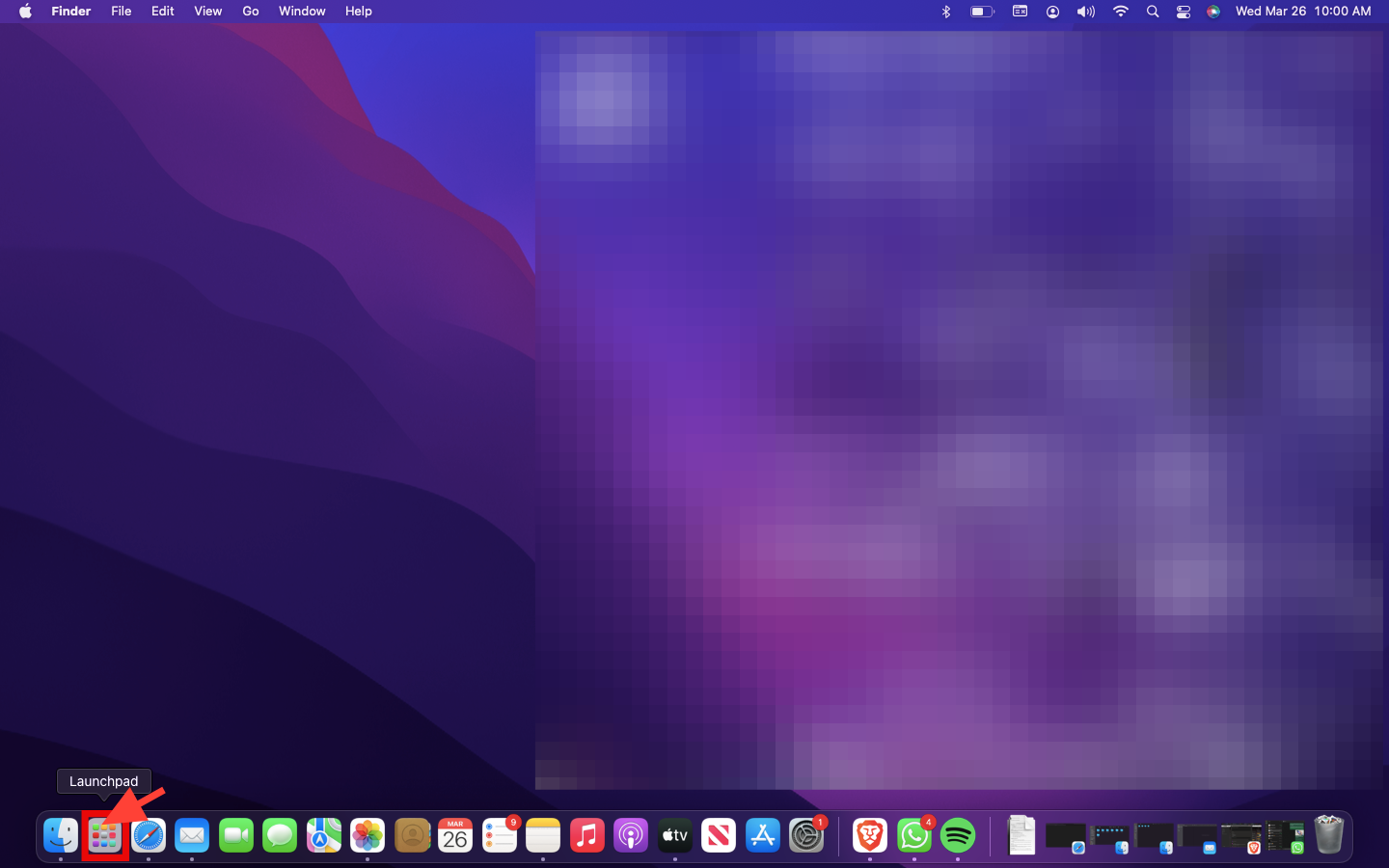
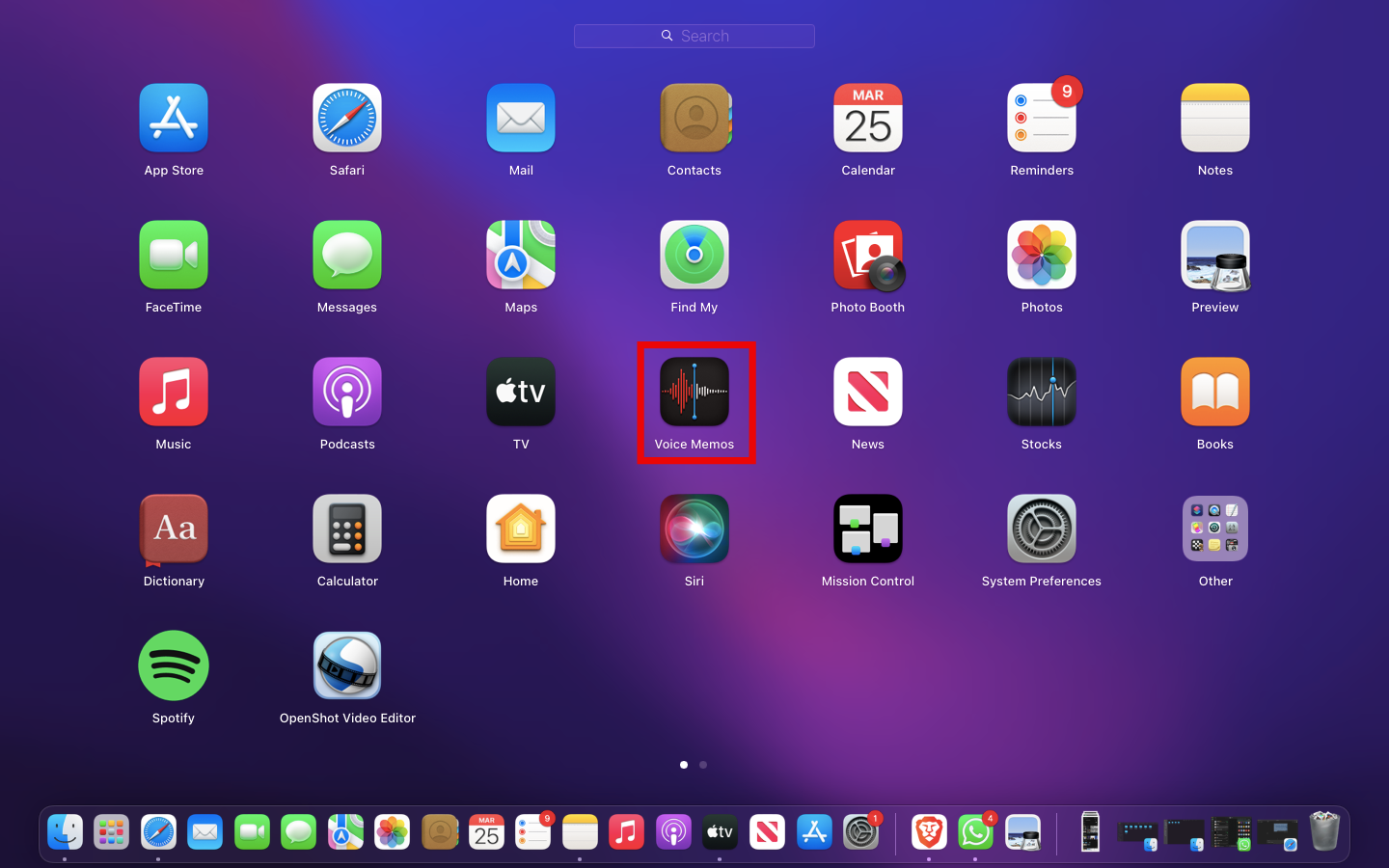
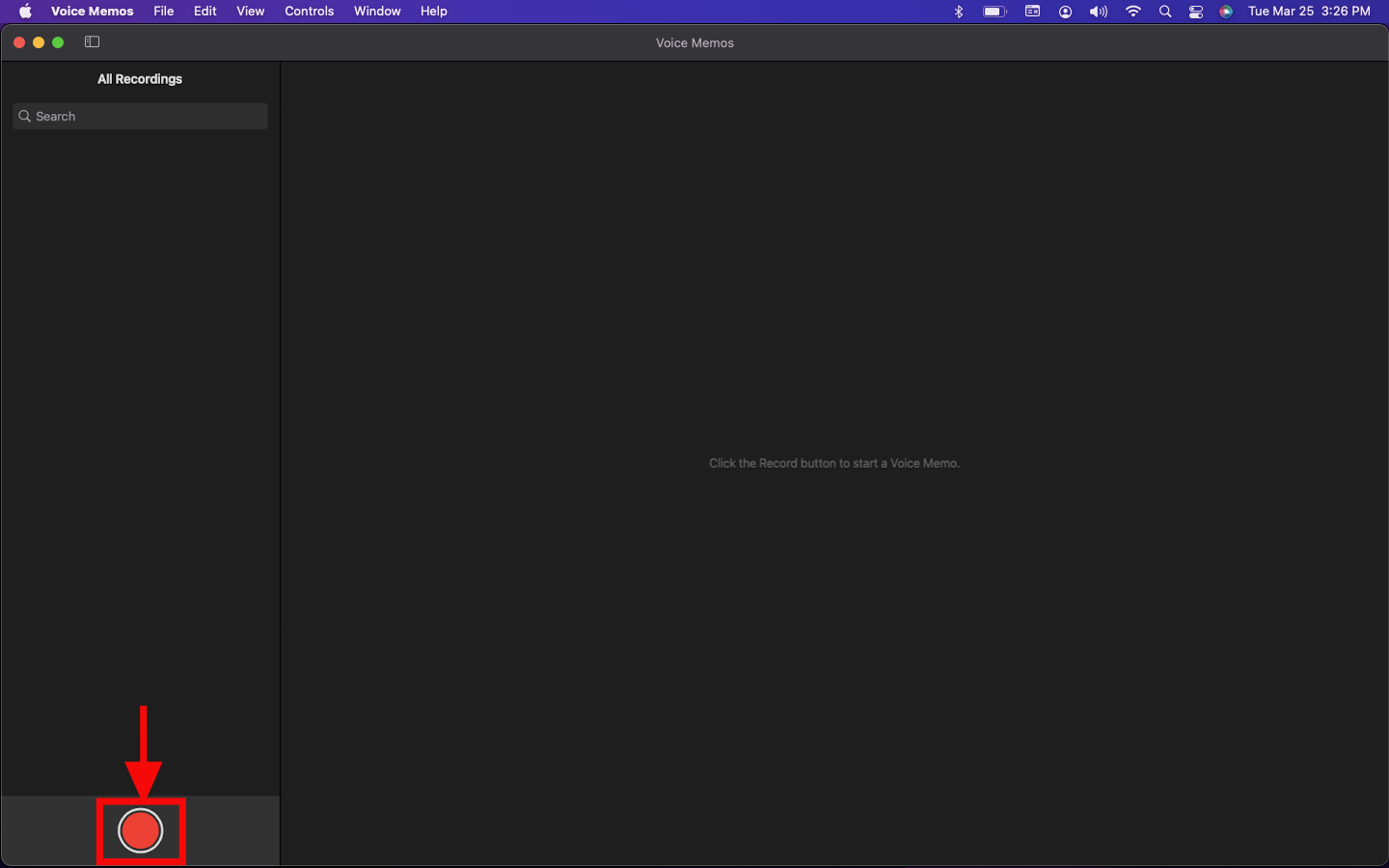
Step 2: Click the crimson circle on the backside of the window to start out recording
Step 3: Speak or play sound into your Mac’s built-in microphone (or an exterior mic, if related)
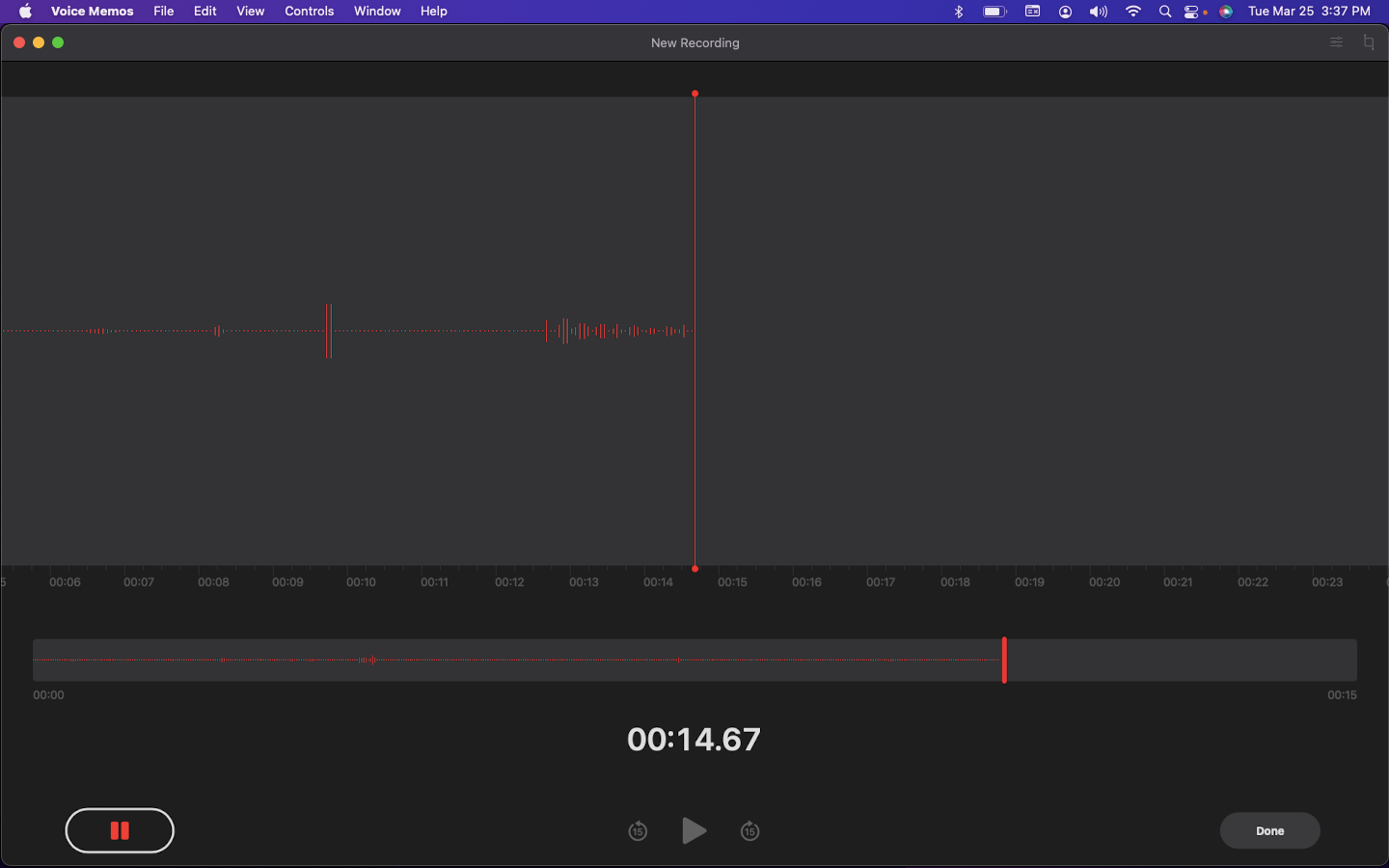
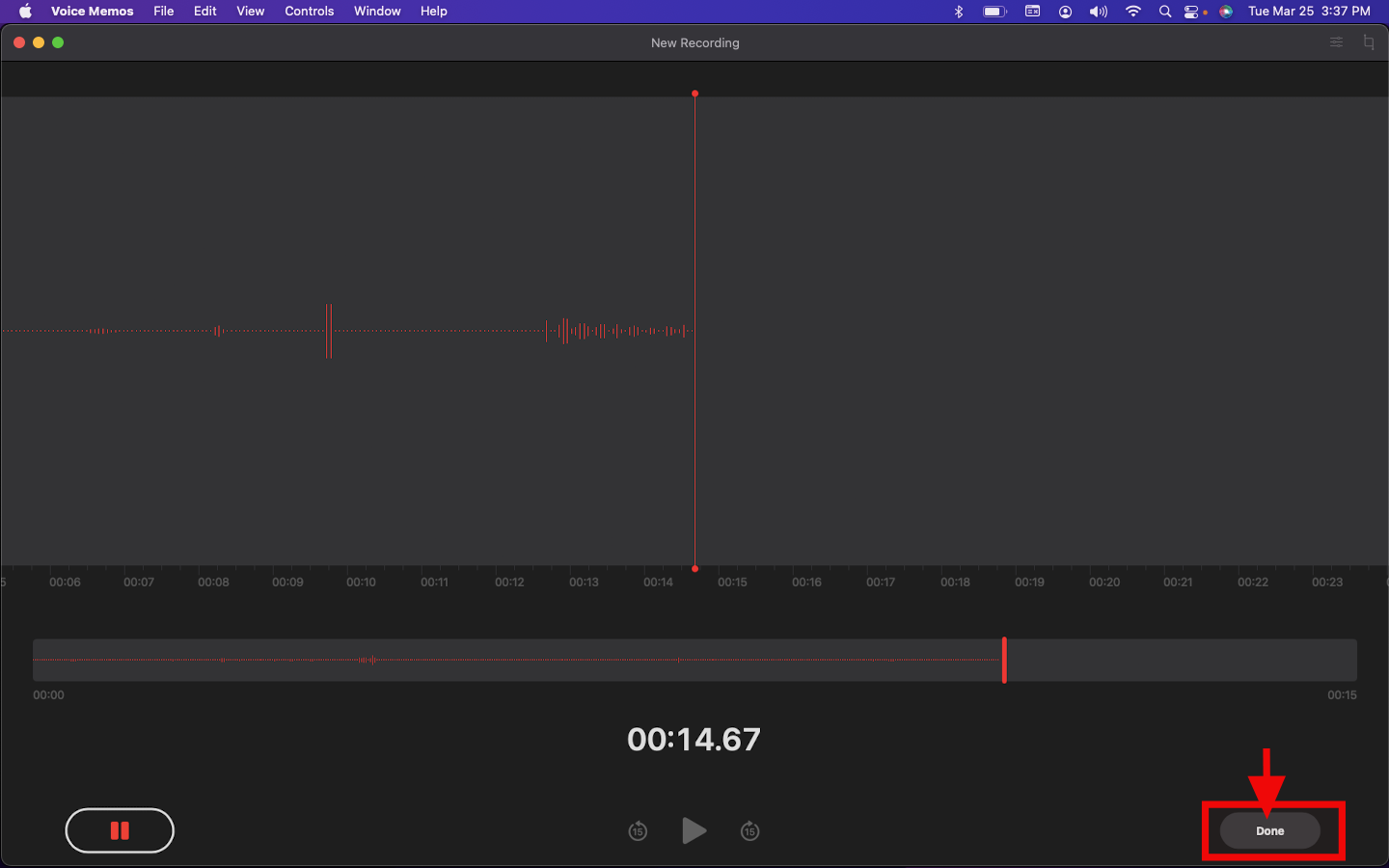
Step 3: Click on the Done button to avoid wasting audio; your recording will mechanically save within the listing on the left facet of the window
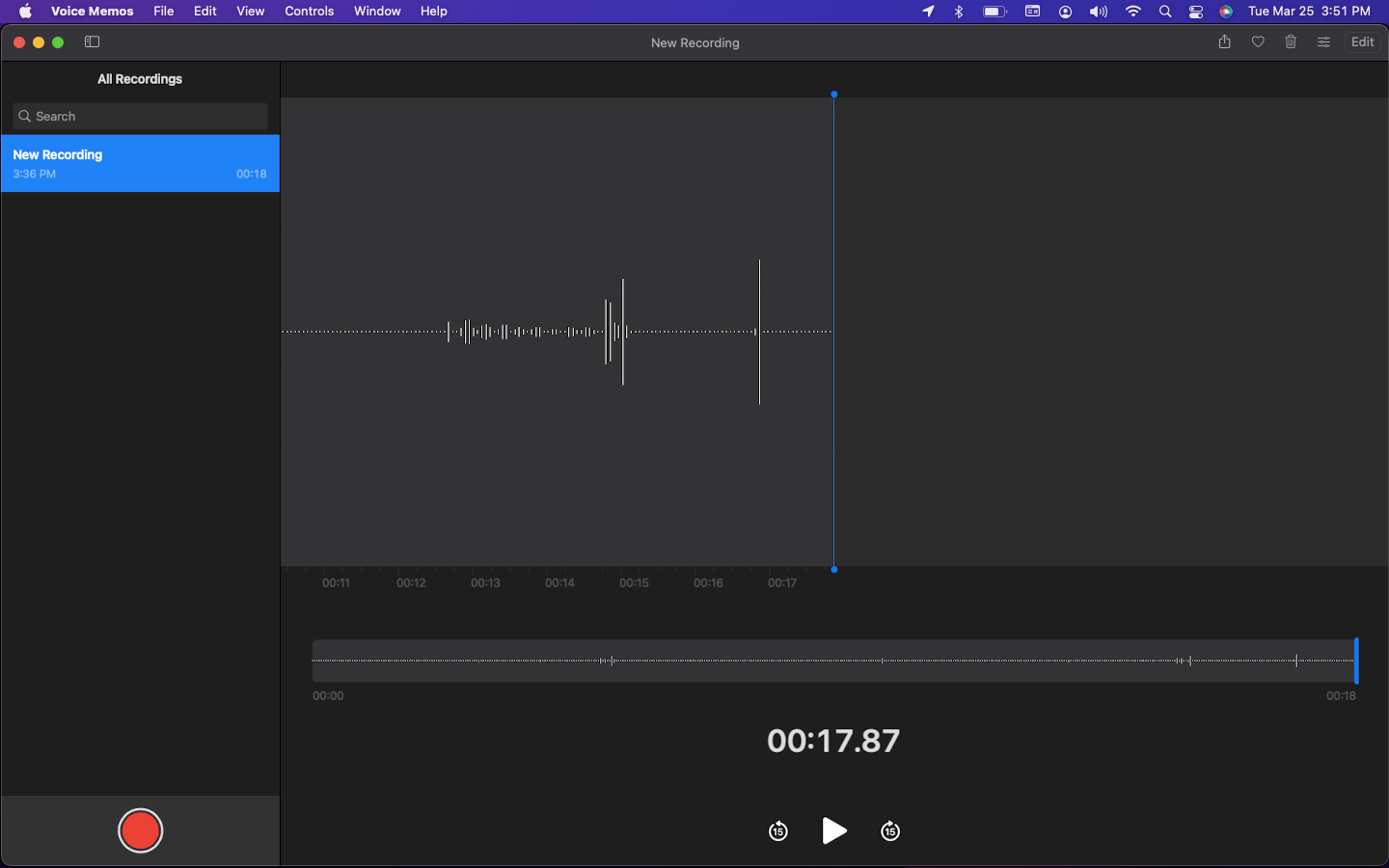
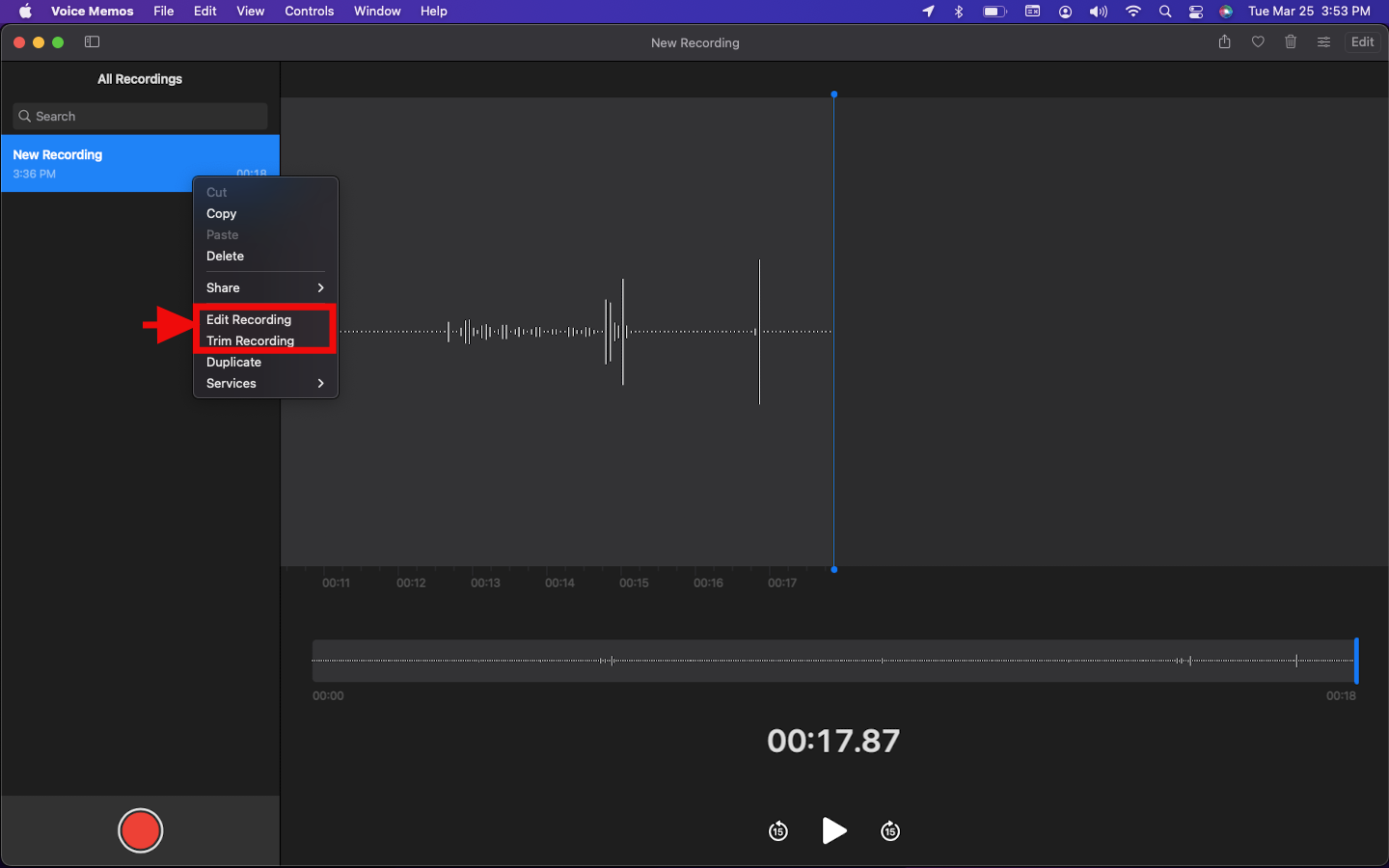
Step 4 (Optional): Right-click the recording and choose Edit or Trim to edit or trim the recording
Using QuickTime Player
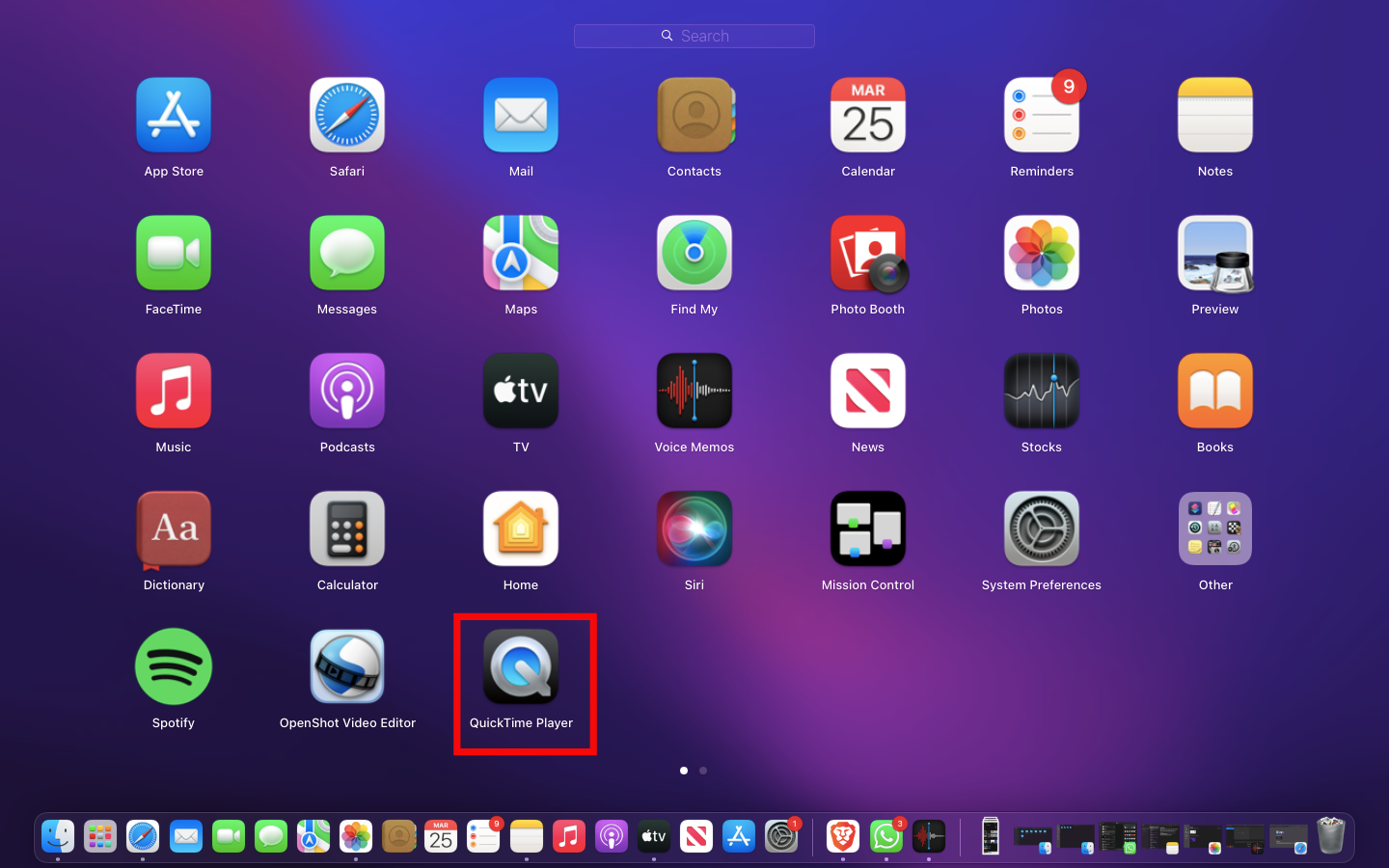
Step 1: Open QuickTime Player from the Launchpad in your docks
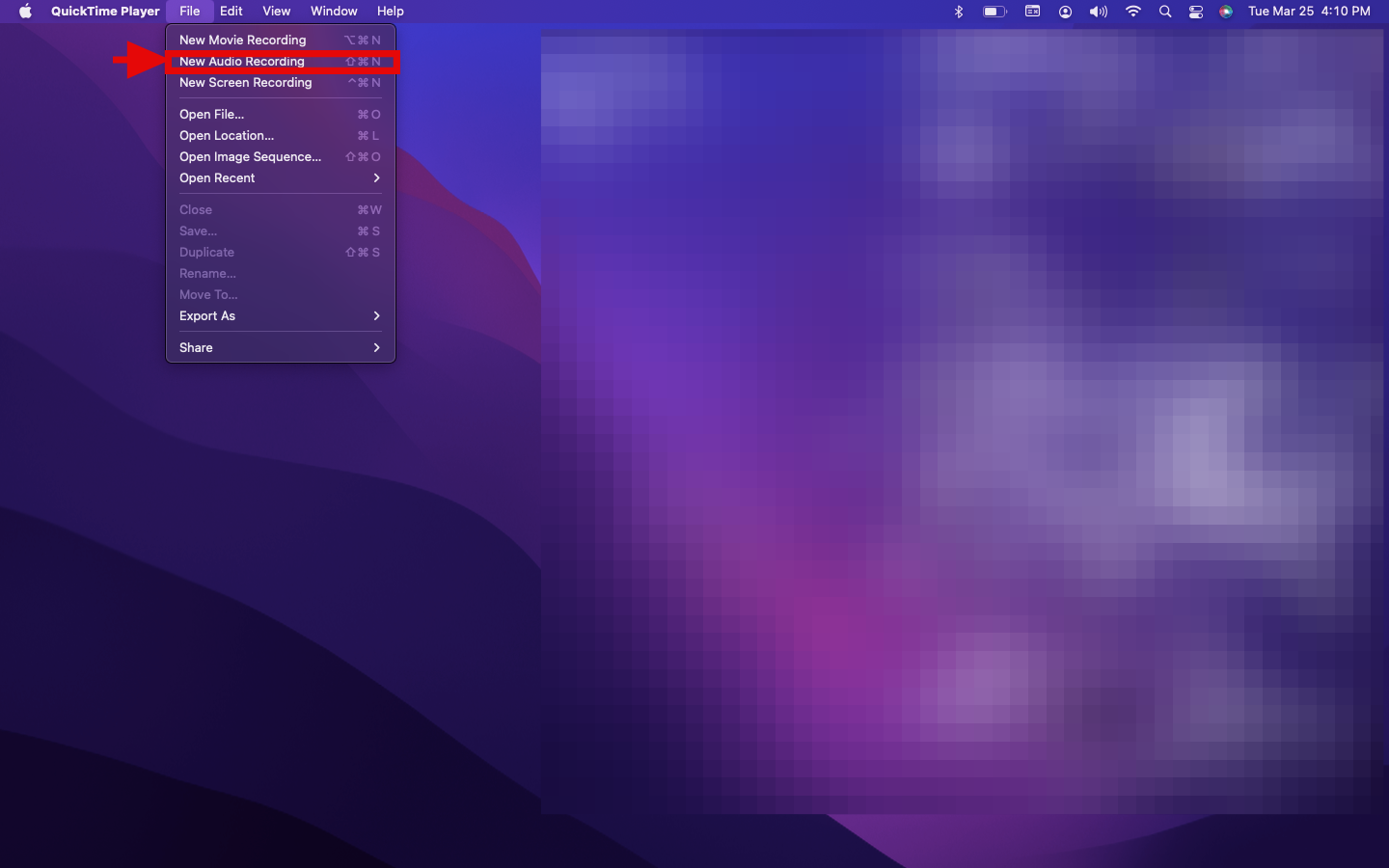
Step 2: From the menu bar, choose File → New Audio Recording
Step 3: Click the crimson circle to start recording
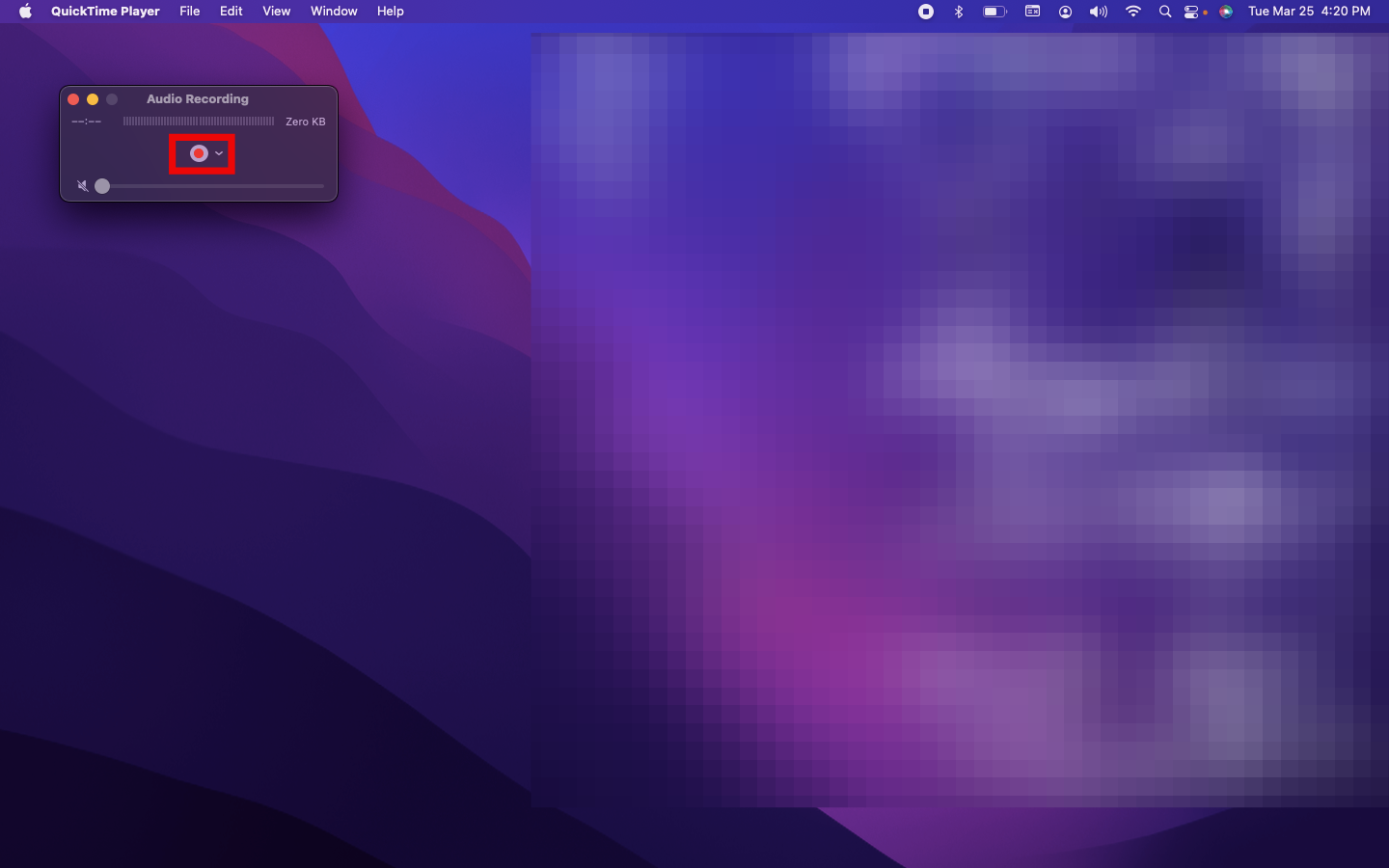
Step 4: Click on the grey sq. to cease recording

Step 5: Close the window to avoid wasting


Conclusion
Recording audio in your Mac is straightforward and easy with built-in instruments like Voice Memos and QuickTime. Whether you’re capturing fast notes, making a podcast, or recording music, you have got all the pieces that you must get began. Just observe the steps, alter your settings if wanted, and also you’ll be recording high-quality audio very quickly.
 TechloyGabriel Ojeh
HI-FI News
by way of Techloy https://ift.tt/ZaGMTYy
March 26, 2025 at 04:46PM
-
Product on sale
 Audiophile Vinyl Records Cleaning BundleOriginal price was: €69.90.€59.90Current price is: €59.90. incl. VAT
-
Product on saleEasy Start Vinyl Records Cleaning KitOriginal price was: €69.90.€59.90Current price is: €59.90. incl. VAT
-
Vinyl Records Cleaner Easy Groove Concentrate€34.95 incl. VAT
-
Easy Groove Super Set€199.00 incl. VAT
-
Easy Groove Enzycaster – vinyl records prewash cleaner€34.95 incl. VAT
-
Easy Groove Extreme MK. II- vinyl records prewash cleaner€45.00 incl. VAT
-
Vinyl Records Cleaner – Easy Groove Virgin Concentrate€35.00 incl. VAT
-
Easy Groove Spray&Wipe vinyl records cleaner€34.95 incl. VAT







