
World News
JPLAY for iOS
JPLAY for iOS
For the longest time, we’ve been used to requiring a core for our libraries to manage them in a cushty method. Roon is an efficient instance of this. As a 3-tier system, it requires a core, endpoint, and management part. The core is the half that tracks the library content material and hosts the database, the endpoint is the place you ship the music to playback, and the management ingredient is the way you management this, often with a telephone or pill, typically an iPad. If your music sources are predominantly of the cloud service (streaming) sort, you may surprise why you’d nonetheless want a core. Indeed, as Qobuz Connect and Tidal Connect show, you may simply as simply stream to your endpoint straight out of your telephone or pill. But herein lies the clincher. In the aforementioned instances, you might be sure to a single service. All companies have their very own devoted app that doesn’t play ball with different streaming companies. Even extra importantly, these apps solely work by way of Airplay.
JPLAY solves this drawback by combining Qobuz, Tidal, and native content material in a single, easy, and stylish interface that provides actually all of the performance one can want for. According to the maker, the app works immediately with practically each streamer or community DAC in the marketplace by means of UPnP AV.
The design temporary was not simply to create an outstanding person interface, however JPLAY additionally made positive to attenuate the community visitors between the app and the audio endpoint to absolutely the minimal to make sure the bottom attainable community noise and, consequently, the most effective sound high quality.
Thanks to native iOS programming and superior optimizations, JPLAY guarantees distinctive pace and responsiveness. You could mix all of your music in a single library or use every music server and streaming service individually.

With the newest replace (model 1.0.14), JPLAY additionally options integration with TIDAL MAX. With the mixing of TIDAL MAX, JPLAY customers can now take pleasure in audio streaming as much as 24-bit, 192 kHz, exceeding the standard supplied by TIDAL Master.
The price matter
JPLAY positively stands out when it considerations the slickness of the interface and the additional performance that’s supplied. In line with most software program lately, JPLAY can solely be bought as a subscription, and the quantity provides up through the years. A good query is whether or not it’s price the additional expense over different single-purchase apps. Andoid customers have traditionally been served higher with a selection of UPnP apps whereas for iOS customers, Mconnect was actually the one good choice.
Mconnect could be downloaded for peanuts, however its very primary performance is just barely adequate. More exactly, I discovered its person interface merely enough and nowhere close to pretty much as good as Roon. Still, I used it as a result of there was nothing higher for iOS.
It is broadly agreed that Roon has set the benchmark with its person interface. However, Roon is a 3-prong system that requires a core for the server part, doesn’t work with UPnP, and is kind of pricey. In that gentle, what’s supplied with JPLAY begins to make a number of sense. And that’s earlier than we even get into the Sound Quality aspect of issues. But I’ll get to that in a second. First, let me present some extra screenshots for example the app’s intensive performance.
User Interface
When opening the app for the primary time, it takes you by the hand by robotically scanning the community and displaying the discovered renderers (streaming endpoints).
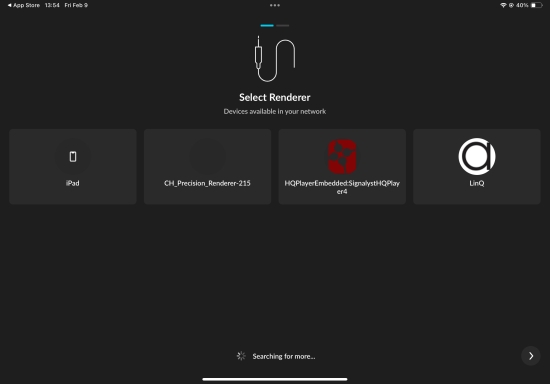
The subsequent step is to pick out the specified streaming service.
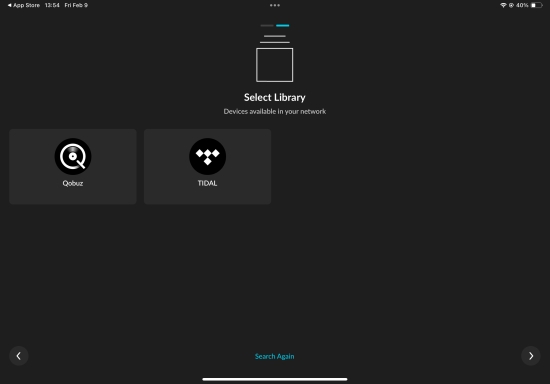
After logging in with Qobuz for the primary time, the JPLAY fundamental display screen is robotically and absolutely populated with all of your private content material. Below is the Home display screen in its full glory.
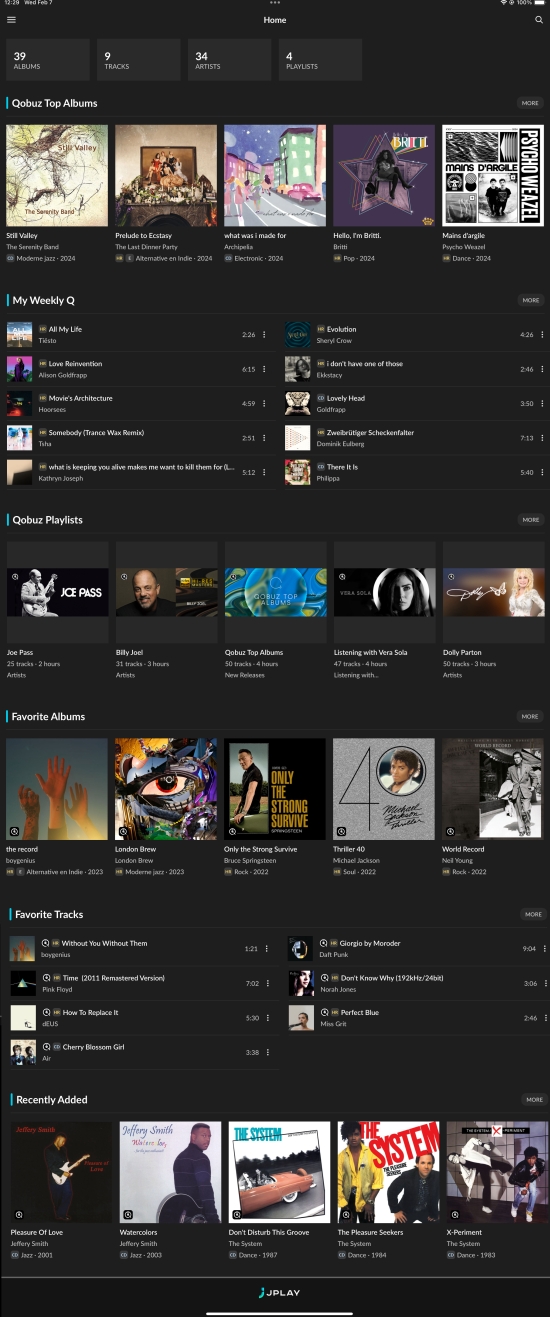
Is that a wonderful interface, or what? Every header, equivalent to Playlists, Favorites, Recently Added, etcetera, has a “extra” button to indicate extra of the associated content material.
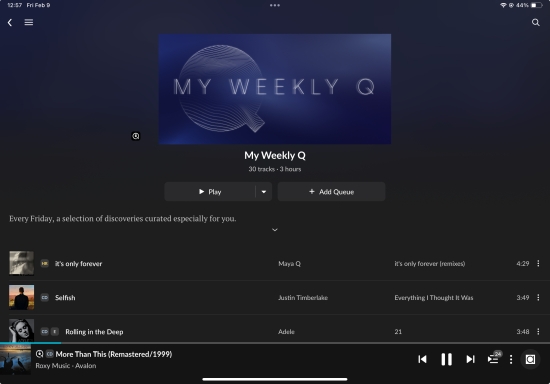
The great thing about this app is that it appears very clear and easy however provides all of the performance that I can consider after which some! And there isn’t any studying curve; every part is the place you count on it to be. You merely begin exploring, and all is revealed naturally.
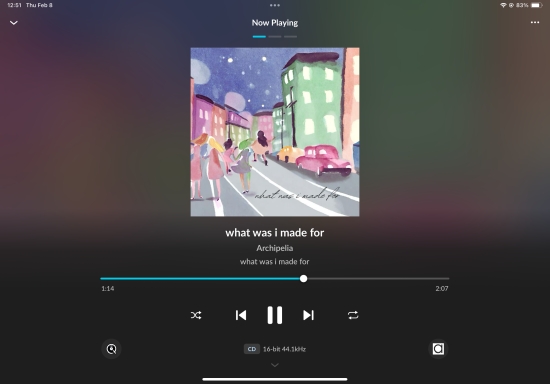
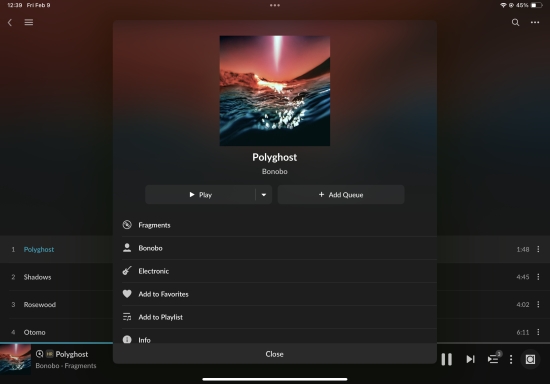
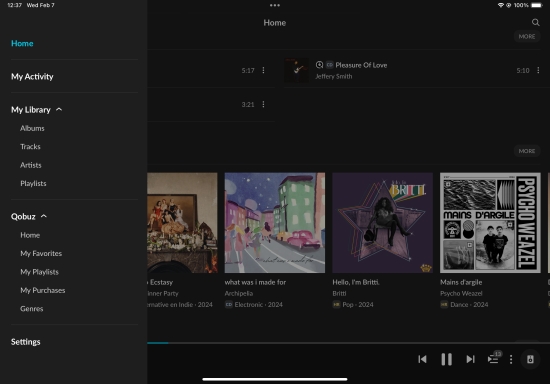
All the standard metadata sub-divisions and streaming service classes, in addition to entry to the app’s fundamental settings, are proper there in the principle slide-over settings pane.
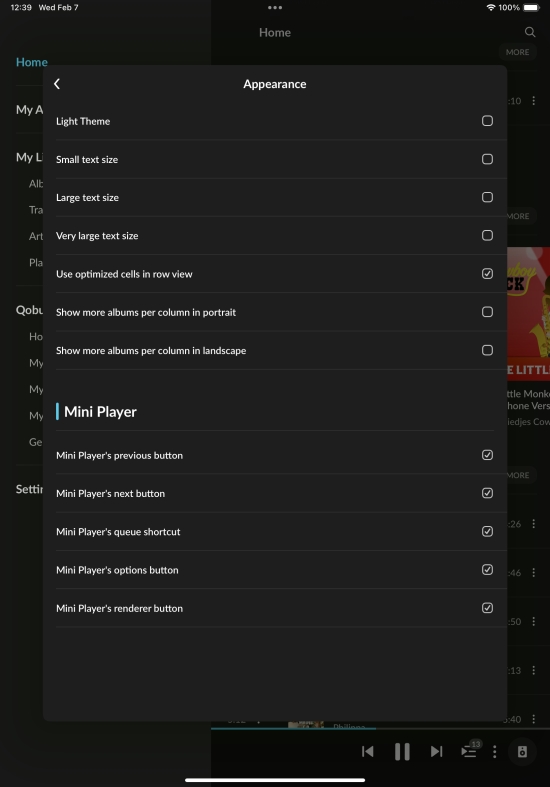
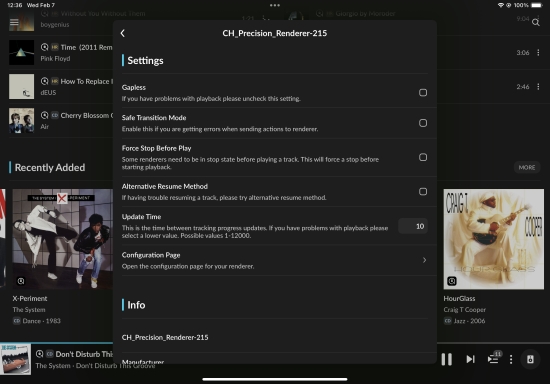
Every endpoint has its devoted Settings part, together with all of the changes you would ever want.
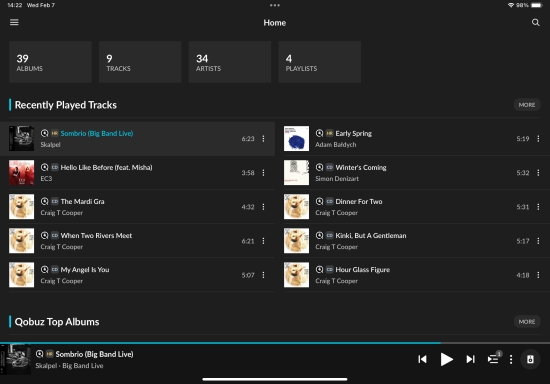
Once you might have used Qobuz to play just a few tracks, the house display screen can also be populated with all Recently Played Tracks.
Next: performance Continued
HI-FI News
by way of HFA – The Independent Source for Audio Equipment Reviews https://ift.tt/MbqZm0d
February 13, 2024 at 12:03AM
-
Product on sale
 Audiophile Vinyl Records Cleaning BundleOriginal price was: €83.88.€73.88Current price is: €73.88. incl. VAT
-
Product on saleEasy Start Vinyl Records Cleaning KitOriginal price was: €83.88.€73.88Current price is: €73.88. incl. VAT
-
Vinyl Records Cleaner Easy Groove Concentrate€41.94 incl. VAT
-
Easy Groove Super Set€238.80 incl. VAT
-
Easy Groove Enzycaster – vinyl records prewash cleaner€41.94 incl. VAT
-
Easy Groove Extreme MK. II- vinyl records prewash cleaner€54.00 incl. VAT
-
Vinyl Records Cleaner – Easy Groove Virgin Concentrate€42.00 incl. VAT
-
Easy Groove Spray&Wipe vinyl records cleaner€41.94 incl. VAT







