
An unprecedented comparison of the hottest Laser TV-style projection systems
The post 2022 Best UST – Projector Showdown Winners Announced! first appeared on HomeTheaterReview and is written by Mark Henninger

An unprecedented comparison of the hottest Laser TV-style projection systems
The post 2022 Best UST – Projector Showdown Winners Announced! first appeared on HomeTheaterReview and is written by Mark Henninger
An unprecedented comparison of the hottest Laser TV-style projection systems
The post 2022 Best UST – Projector Showdown Winners Announced! first appeared on HomeTheaterReview and is written by Mark Henninger
An unprecedented comparison of the hottest Laser TV-style projection systems
The post 2022 Best UST – Projector Showdown Winners Announced! first appeared on HomeTheaterReview and is written by Mark Henninger

The Battle of the 4K USTs is on!
The post 2022 Laser TV Showdown on 8/03/2022 – What's the Best UST? first appeared on HomeTheaterReview and is written by Mark Henninger
The Battle of the 4K USTs is on!
The post 2022 Laser TV Showdown on 8/03/2022 – What's the Best UST? first appeared on HomeTheaterReview and is written by Mark Henninger

Pssst, want an awesome deal on a huge, top-of-the-line TV? Check this out…
The post Black Friday in July Sale: Samsung 85" QN90A $2299.99 first appeared on HomeTheaterReview and is written by Home Theater Review

There’s nothing like watching Star Wars on an OLED, except watching Star Wars on a Star Wars OLED.
The post LG's Star Wars LG OLED Evo: Limited Edition of 501 Units first appeared on HomeTheaterReview and is written by Mark Henninger

As the streaming wars intensify with brands rolling out hours and hours of new content each month, YouTube on Monday announced that it would offer Dolby 5.1 surround sound and 4K playback as part of its YouTube TV service.
The super-HD video option, which is being called “4K Plus,” comes along with the ability to download and stream content offline on any device, and is tailor made for “major sports events this summer,” as well as on-demand content from FX, Discovery Networks and Tastemade, a press release said. The subscription also allows for unlimited streams from a single account, as opposed to the base package, which allows only three simultaneous streams.
The subscription is set to cost $19.99 per month, but that’s in addition to the $64.99 base fee for YouTube TV. New users are being offered a free trial month and an introductory rate of $9.99 a month for the first year of service. For context, a basic Netflix subscription is $8.99.
Surround sound is set to be offered “to select devices over the coming weeks,” but eventually will be available for all YouTube TV subscribers, the company said. Both surround sound and 4K video have been among the most requested additions by users.
For additional information about YouTube TV and its new offering, visit the company’s website.
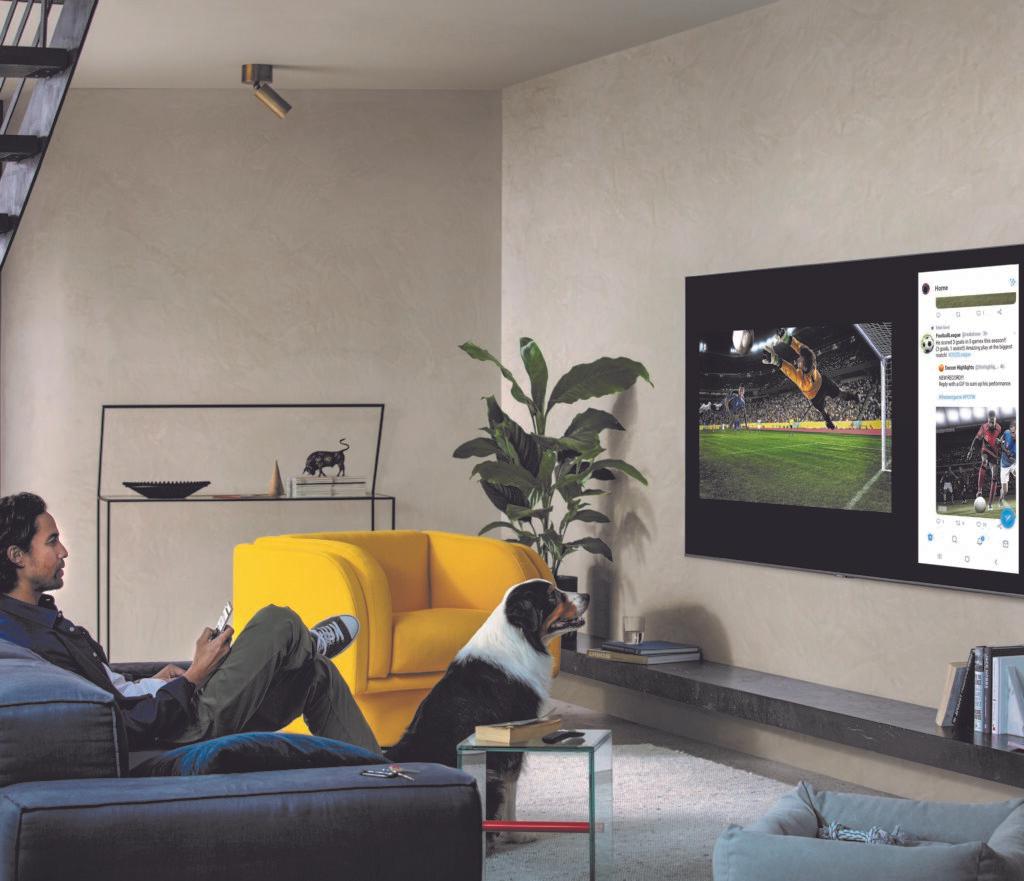
Dylan Seeger of Home Theater Review provides answers to common questions about Smart TVs, one of the most important purchases you will make.
On top of mentioning your price range, the salesperson should be informed on how you will use the TV. For example, will you be gaming and watching a ton of sports? Or will you mostly be watching movies and TV shows?
They should also know a bit about your viewing environment. Will the room be filled with ambient light (or sunlight from windows), or do you prefer to watch in the dark whenever possible? All these factors play into finding a TV that’s right for you, as certain display technologies are better suited to handle some of these viewing variables.
These terms denote resolution, which defines how detailed an image can ultimately be. 4K – also known by its more technically correct name, Ultra HD – has a digital resolution of 3,840 pixels wide by 2,160 pixels tall. This means a 4K television has the ability to display an image with more than 8 million unique pixels.
8K doubles the vertical and horizontal resolution, ultimately quadrupling the total number of pixels over 4K. But because 8K is currently at the bleeding edge of consumer display technology, I wouldn’t worry too much about making sure your next television has 8K resolution. It will be quite some time before 8K video content becomes widely available.
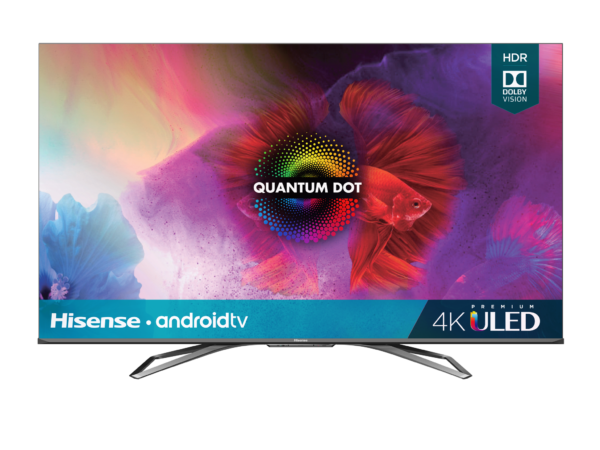
Home Theater Review examines Hisense 65-inch H9G Smart TV
For most people, the answer to this question comes down to personal preference, but there is also a bit of science involved, too. The general rule of thumb is, the farther your seated position from the TV, the larger your TV should be.
Human visual acuity comes into play here, and depending on what resolution your TV is, organizations who create video standards, like THX and SMPTE, typically recommend viewers who have 20/20 vision sit anywhere from around 1 to 1.5 screen widths away from the TV to gain most of the benefits in image detail that HD and Ultra HD resolutions have to offer. (1.5 screen widths for a 65-inch TV would be roughly seven feet.) This seating distance may be impractical for a lot of viewing environments. But don’t fret – these are just general guidelines. So, even if you’re not quite at the optimal viewing distance, you’re still likely to see extra detail in the image as long as you’re not insanely far away.
You can get an equally impressive viewing experience wall-mounted or not. Many people choose to wall-mount their TV for aesthetic or space-saving qualities, not necessarily for the best viewing experience. The important thing to consider when installing your TV is that wherever you decide to place it, it should be in a spot that isn’t going to cause eye or neck strain. So, while a TV may look pretty hanging way up high above your fireplace, it might not be the most practical place to put it, as it might cause you discomfort viewing it for long periods of time. Choose a place not too far away, not too high up, and not installed in a spot where the sun will be shining directly on it.

What You Need To Know About Samsung 65-Inch Q70T TV
There are four consumer HDR formats currently in use: HDR10, HDR10+, Dolby Vision, and HLG. You might be tempted to buy a TV that supports all four, but I wouldn’t go out of your way or spend a ton of extra money on finding a TV that does. The fact remains that the vast majority of HDR content currently available is either in HDR10 or the more advanced HDR format, Dolby Vision. These are the two important HDR formats you’ll want to make sure your TV supports. And luckily most TVs do. HLG support is also fairly common, but this type of HDR is typically only used for live broadcast events, like sports. HDR10+ is not a widely used HDR format, and all indicators point to it remaining this way. So, don’t worry too much if the TV you’re looking to buy doesn’t support this HDR format.
Remember the format war that pitted HD-DVD against Blu-ray back in the late-2000s? Well, something similar is happening now in the 4K era. But the format war has nothing to do with discs – it’s about which enhanced HDR format will reign supreme.
HDR10 is the most basic HDR format available. Any display that claims to be HDR-compatible needs to support it. HDR10 was developed in conjunction with Dolby to act as the base HDR video format for Ultra HD Blu-ray. Dolby takes this base video and further enhances the image with its proprietary Dolby Vision HDR format through something called metadata. On Ultra HD Blu-ray, it works by injecting extra bits of predetermined data into the video signal to further enhance the HDR-effect. And because Dolby Vision’s HDR processing takes place inside the display, it can alter the image in a way that better suits the real-world performance capabilities of any given display in terms of its peak brightness and color capabilities, thus making Dolby Vision the more ideal HDR format to choose from, if available.
HDR10+ was developed after Dolby Vision and in many ways it attempts to do exactly the same thing Dolby Vision does. But because HDR10+ was late to the game, it’s having a much harder time gaining widespread adoption among Hollywood studios and streaming services, despite the HDR format being royalty-free, unlike Dolby Vision. Amazon Prime Video is currently the only major streaming service that supports HDR10+, and if more support for this format doesn’t occur, it may end up like HD-DVD and eventually be abandoned.
HLG is a little different and will likely remain an HDR format in use no matter which enhanced format wins. That’s because HLG is primarily used for broadcast television for content such as live sporting events and is compatible with both older SDR and newer HDR displays. This makes it an ideal format to broadcast in as it can work with a much wider variety of displays than any of the other HDR formats, thus reducing cost and simplifying the demands for live broadcast events. With that said, it’s the least impressive form of HDR currently available to consumers.

Our Séura 55-Inch Shade Series 2 Outdoor TV Review
HDMI 2.1 is the latest standard for digital video and audio connectivity. This next-generation interconnect standard increases the data throughput rate by more than 2.5 times that of the previous HDMI standard. This means consumers will be able to pass 8K resolution video at up to 60 frames per second and 4K resolution video at up to 120 frames per second over a single HDMI cable.
But it’s not just this extra data throughput that’s exciting. HDMI 2.1 adds a ton of new features that a lot of consumers will find useful, such as Variable Refresh Rate and Quick Frame Transport functionality that will ensure a smoother video gaming experience with less lag.
Updated eARC functionality now supports sending Dolby Atmos, DTS:X, and other object-based audio formats to compatible AV receivers from the TV itself or devices connected to it via HDMI. And Quick Media Switching functionality will eliminate annoying screen blackouts as your TV switches between content at varying resolutions and frame rates.
All-in-all, HDMI 2.1 is a big deal. So, if you’re shopping for a new TV, it’s probably a good idea to make sure whichever one you choose supports it.
If you’re a gamer, choosing the right TV is important. Input lag – or the time it takes for your display to accept, process, and ultimately display the image – varies widely between TV models. Choosing a TV with low input lag (or a TV with a low-lag picture mode, often designated as a Game mode), should be high-up on your priority list if you’re a gamer, as it will decrease the time it takes for your button presses and moves to be reflected in the on-screen action.
Certain display technologies, such as OLED, offer faster pixel response time over more conventional LCD-based televisions as well. Because of this, OLED TVs add in next-to-no motion blur compared to LCD TVs, thus potentially providing gamers more visible motion resolution that can be important for competitive play. So, opting for an OLED television might be a smart choice if you play a lot of games.
Gamers should also look for a TV with HDMI 2.1 inputs, as this next generation interconnect standard has added benefits for gamers, which are outlined above in the answer to another frequently asked question.
It’s common for televisions to have at least one fairly accurate picture mode that requires little change from the default settings to get a great looking image. These modes are often called something like Cinema, Movie, or Reference mode, but a quick Google search of your TV model should point you in the direction of a review that will tell you which mode is best.
As far as more customized calibration goes, you might be tempted to plug in someone else’s settings you’ve found posted online, but more often than not, these settings will do more harm than good due to the fact that two TVs sharing the same model number and screen size can still have slight variations in color accuracy, etc. If you’re a perfectionist looking for the most accurate image possible, hire a certified calibrator. But going with one of these fairly accurate out-of-the-box image modes should give you a good start, and you may find that you only need to slightly tweak your main settings (contrast, brightness, etc.) using a benchmark disc or test patterns found on Netflix.
It’s also a good idea to make sure that certain image enhancement features are either switched off or turned down low. Many of them, like noise reduction, motion interpolation, image sharpening, and contrast enhancement, are set too high by default. Many of these features should be disabled if you’re after an honest and accurate image.

At this weird moment in history, most of us are consuming even more media at home than ever before. Although “What TV should I buy?” is an ever-present question for those of us who work in consumer-electronics journalism, we’ve never heard it more than we have this year. And that makes sense. At least for the time being, the home theater or media room has almost completely replaced commercial theaters as the first screen on which many people view new movies. And with HDMI 2.1 starting to permeate the market, a new wave of televisions is hitting store shelves (real and virtual), with a whole host of new features listed in bullet points on the sides of their boxes.
If you’re having trouble sorting through all the acronyms on those lists, we’re here to help. But before we dive into specific model recommendations, it may help to explore the different types of display technologies, how they work, and what they’re good (and not so good) at.
 LCD: The most ubiquitous TVs today are of the Liquid Crystal Display (LCD) variety. To understand where LCDs get their name, consider that there are multiple layers to a television panel – including polarizing films, electrodes, reflective surfaces, glass, color filters, diffusers, and so on. In the case of LCDs, there’s a layer of liquid crystals, which control how much light generated by a backlight (almost always LED these days) reaches our eyes. When a variable voltage is sent through the liquid crystals, they change position to allow the light to pass through, hit a color filter, and generate the colors you see.
The major problem with LCD is that all those liquid crystals can’t block every bit of light coming from the backlight, so black levels and contrast ratios suffer. Manufacturers have combatted this by using full-array local dimming (FALD), which separates the backlight into numerous zones, allowing for a finer control of backlight intensity at different points in the image. This has led to a substantial improvement in contrast levels over the years, but LCD is never going to deliver perfect black levels or contrasts.
Less-expensive LCD TVs cut costs by relying on edge-lit local dimming instead of a full array of lights behind the screen. As you can imagine, though, since the dimming lights are only along the sides of the screen, this approach isn’t as successful as FALD in ensuring that any particular spot on the screen is as dark (or as bright) as it optimally should be.
Contrasts and black levels can also be affected by the type of LCD panel used. For TVs, the primary panel types are vertical alignment (VA) and in-plane switching (IPS), or some variant of IPS. You might also have heard of twisted nematic (TN) panels, which are used mainly for computer monitors because they’re cheap and response time is lightning fast, but their color reproduction is awful and viewing angles are terribly narrow.
Although their viewing angles aren’t as wide as IPS panels, VA panels provide the best contrast for LCD displays. In fact, IPS panels can be subject to what’s referred to as “IPS glow,” where light blooms from the corners of the TV and adversely affects black screen uniformity. Because of this, the majority of LCD TVs use VA panels, especially at higher prices.
One of the big benefits of LCD TVs is that they’re extremely energy efficient and, in general, will be less of a power hog than an OLED. The light output of LED-backlit LCDs is also higher than comparably-priced OLEDs, which is becoming more important with the prominence of Hight Dynamic Range (HDR).
 Many LCD TVs also get a boost in light output from something called quantum dot or quantum film technology. Pretty much every LCD manufacturer has, or likely will soon, include their version of this nanoscale semiconductor technology. Many manufacturers use “Quantum” somewhere in the name or marketing – including Vizio and Hisense – but you also will see similar technology referred to as “QLED” by Samsung and TCL, “Triluminos” by Sony, and “NanoCell” by LG. The technology was at first offered only on the pricier LCD TVs from most manufacturers, but it’s starting to make its way to lower-priced models such as Vizio’s M-series, which starts at $400, and Konka, which is entering the US market with a $370 50-inch quantum-dot display.
But what exactly is quantum dot technology, or QLED, or whatever you want to call it? In short, a layer of nanocrystals added to the panel during the manufacturing process. The particles on this layer range in size from two to ten nanometers and are photo-emissive, so when they’re hit by the photons from the LED backlight, they emit a specific wavelength of light that is dependent on their size (smaller tend towards green while larger tend towards red). The quantum dots improve the brightness of the display, increase the possible color gamut, and retain color accuracy as the image gets brighter.
 OLED: The undisputed technology king of contrast ratio and black levels for TVs is organic light-emitting diode (OLED). Unlike an LCD, which requires a backlight, OLEDs emit their own light when hit with an electrical current. When they’re not receiving an electrical current, they emit absolutely no light whatsoever. Since each pixel can be individually controlled, only the part of the image that needs light produces it.
The incredible black levels and contrast ratios of OLED TVs result in a more three-dimensional appearing image. Among other OLED TV benefits, they can be very thin, since no space is needed for a backlight, and there’s no perceivable color shift or loss of brightness when sitting at relatively extreme viewing angles.
OLEDs, however, are not yet able to match the light output you can get from an LCD television. The maximum brightness you’ll get from the brightest OLED is around 800 nits (and that peak brightness diminishes the closer you get to a 100-percent white screen), while the brightest LCDs can exceed 1,600 nits peak brightness. But while that means some HDR highlights might not pop as much on an OLED as they would on an LCD, the overall visual impact of the image is greater on an OLED due to the deeper blacks.
As an OLED reaches full brightness, there’s also the chance that it will lose color accuracy, although that can usually be handled by a decent calibration. An interesting development is that we may soon see OLED displays that incorporate quantum dots (Samsung is reportedly hoping to release this hybrid technology next year), which could mean an increase in brightness and wider color gamut for OLEDs.
If you’ve looked into buying an OLED TV, you’ve almost certainly heard about the dangers of burn-in. While I won’t dispute the possibility, the chance of it happening is relatively small, especially on modern OLED displays. It would likely take many hours a day for many days in a row of watching a picture with static images (such as news channels that have ticker scrolls) for the panel to have any significant image retention. Still, the possibility is still there, no matter how remote.
The most significant drawback of OLEDs, though, is cost. The least expense OLED TV this year is LG’s 55-inch BX for $1,400. Prices have been dropping across the board each year, but you’re still looking at a premium of at least $500 over a roughly comparable LCD TV. This might partially be the result of exclusivity: Until this year, only two manufacturers offered OLED TVs in the U.S. But this fall, Vizio is releasing its first OLED, and it was reported at CES 2020 that both Konka and Skyworth will also be joining the fray.
 Resolution: Just as we’ve all started to get comfortable with UHD (or 4K) TVs, the consumer electronics industry is shaking things up again by introducing 8K-capable displays at the higher end of the market. But unless you have an absolute need to be on the bleeding edge of technology (and unless you spend your evenings swimming through your vault full of gold coins), there’s no good reason to get one yet.
In order to actually see the increased resolution of 8K, you’d need to either sit ridiculously close to your screen or have a really big screen (e.g., no more than 3.5 feet away from a 55-inch TV or 5.5 feet away from an 85-incher). Then there’s the fact that there’s almost no 8K content available to watch. There have been a few movies filmed in 8K (and I do mean a few) and some sports content, but we are still years away from a steady flow of 8K content.
“But next-gen consoles!” I hear you cry from our comments section. “Sony and Microsoft say they can output 8K!” First, thank you for not typing in all caps. Second, yes that’s true, but the likelihood of seeing any appreciable number of games rendered in actual 8K resolution anytime soon is incredibly small. More likely, any content you have will be upconverted to 8K.
There are other 8K considerations (HDMI cables, internet speeds), but I’ve already said more about resolution than really needs to be said. 4K is great. Wait for 8K.
 HDR: There are currently five types of high dynamic range (HDR): HDR10, HDR10+, Dolby Vision, HLG, and Advanced HDR. HDR10 is the most ubiquitous of these, and the most widely supported. HDR10+ and Dolby Vision differ from HDR10 primarily in the fact that they rely on dynamic rather than static metadata. To understand what this means, consider that most HDR content available today is mastered to standards far beyond the capabilities of today’s displays. The metadata included with HDR video allows the display to know what the peak brightness and chromaticity of a given video are, so that it can tonemap the video to match the capabilities of the display. Static metadata provides only the minimum, maximum, and average brightness for an entire film. Dynamic metadata, on the other hand, delivers this information on a scene-by-scene or even frame-by-frame basis, which enables the display to deliver a more precise tonemap from moment to moment.
HLG, aka Hybrid Log Gamma, was developed by the BBC in Britain and NHK in Japan. It can be interpreted by SDR displays as an SDR signal, and by HDR displays (that accept HLG) as an HDR signal. Its primary application is in television broadcasts, and we’ll likely be seeing it applied in that capacity more often over the next few years.
Advanced HDR was developed by Technicolor and is actually comprised of three different HDR standards: SL-HDR1, SL-HDR2, and SL-HDR3. As of now, there’s no Advanced HDR content, and LG recently pulled its support of the format, so it may soon become a casualty of the HDR wars. There’s a chance the HDR10+ will be the next casualty now that 20th Century Studios abandoned it in favor Dolby Vision. For now, though, it still is used by some streaming providers, such as Amazon Prime Video.
 HDMI 2.1: Enthusiasts have been eagerly awaiting this new HDMI spec, and some of its features, such as eARC, have been appearing on consumer electronics devices for a while now. But the biggest change from HDMI 2.0 isn’t features, but bandwidth. The former is capped at 18Gbps, which has been fine up until now for 4K signals at 60Hz. HDMI 2.1, however, provides up to 48 Gbps, which will support resolutions up to 10K with a refresh rate of up to 120Hz. You can read more about HDMI 2.1 here.
Obviously 10K resolution won’t be a concern for quite a few years (considering 8K isn’t yet worth our time and 4K is still really hitting its stride), but that boost in refresh rate is huge, especially for gamers. Next-gen consoles will have an HDMI 2.1 connection and support 4K at 120Hz, so if you’re planning to buy a PS5 or Xbox Series X, finding a TV with 4K 120Hz support should be high on your priority list.
Other Gaming Considerations: There are a few other features that are of utmost importance to gamers, either for better performance or better quality of life. Input lag measures, in milliseconds, how quickly a button press on a controller translates to an onscreen action. Ideally this number will be in the mid-teens or lower. When it starts climbing above 30ms, some gamers will feel the lag. In order to get low input lag numbers, most televisions include a specific Game Mode.
Some TVs have an auto low latency mode (ALLM) that will switch the settings to the best gaming setup the TV can provide when it senses a signal from a video game. It’s a nice bonus to not have to worry about finding the TV remote to enable gaming mode or switch to a game picture mode.
Another big gaming-centric feature is Variable Refresh Rate, which locks the refresh rate of a game to the display to avoid any screen tearing. Tearing occurs when the TV receives the next frame of video while it’s still flashing the previous frame, causing moving parts of the screen to have jagged edges and look torn apart.
If you have the ability to control the light in your viewing room, then you’ll want a television that has the deepest black level you can get. If you’ve read all of the above, you’ll already know that that’s an OLED. And the overall best out there right now is the CX series from LG.
It looks the same as last year’s excellent C9 series, but LG has added a 48-inch size to their 55-, 65-, and 75-inch offerings, so you’ll be able to find the right size for your room. The CX comes with the new Filmmaker Mode, developed by the UHD Alliance, which disables post-processing on the TV and displays the movie or TV show as intended by the creator. All CX models also have HDMI 2.1, a native 120Hz panel, and support 4K/120, which should also make them appealing to gamers.
If you’re not dead-set on buying a new TV immediately, you should also keep an eye out for the new Vizio OLED coming soon. Pricing is a couple hundred dollars less than the CX series (comparable to LG’s BX series), and Vizio’s OLED may very well stand up to LG in terms of performance.
If your room has a lot of ambient light, or if you aren’t able to suitably control the light level, then you’ll need something bright to combat it. For such rooms, we really love the Hisense H9G (review coming soon). It has significant light output that will overcome ambient light and glare, making it a great choice for daytime viewing. Viewing angle performance leaves a bit to be desired (it is a VA panel, after all), and out-of-the-box color accuracy isn’t the greatest, so for top performance you’ll want to get it calibrated. But it’s also just under $1,000 for a 65-inch TV, making it a great value.
If you want something with better color accuracy out of the box (much better, actually), look to Vizio. Its P-Series Quantum X from last year (reviewed here) is an absolute light cannon, and I have every expectation that this year’s update will be, as well. The 65-inch 2020 model is also listed at $1,500, a cool $700 less than the version Andrew Robinson reviewed last year.
This might sound familiar. The LG CX series is an excellent choice for gaming. It has HDMI 2.1, a native 120Hz panel, enough bandwidth to support 4K/120 from next-gen consoles, as well as VRR support, Auto Low-Latency Mode, and exceedingly low input lag in game mode. Add to that top-notch black levels, contrasts, and color, and your games will look incredible.
But if you aren’t up for spending $2,300 for a 65-inch LG CX, you could spend about half that for a 65-inch Sony X900H. It touts many of the same gaming features as the LG CX, or at least it will with an expected firmware update later this year (hopefully in time for next-gen console release).
If you’re just looking for a solid, all-purpose UHD/HDR TV and the aforementioned prices are daunting, the TCL 5-series offers decent performance for a bargain price. The $629.99 65-inch TCL 65S535 is a QLED set (so it has quantum dot technology for better brightness and color gamut coverage), and has some features you’ll find on higher-end sets, like ALLM for gaming, eARC, Dolby Vision support, and full-array local dimming. It also uses the Roku smart TV platform, which has been a favorite around these parts for a while now. Of course, you won’t be getting the performance of displays costing two, three, or four times as much, but if you’re upgrading from HD for the first time, prepare to be pleasantly surprised by the picture from this little overperformer.
When it’s less risky to have big groups of people over again, it’s going to be important to have a television that gives good performance no matter where you sit. As mentioned above, one of the drawbacks of LCD TVs (especially those with VA panels) is mediocre viewing angles. Colors get screwy and the image gets more washed out as brightness suffers. So, at the risk of sounding like a broken record, look for an OLED if you expect to have your media room full of viewers. The LG CX will accommodate a group sitting all around the room and still give excellent performance for all. If you want to trim a couple hundred bucks off the price, the BX series gives similar performance, although with somewhat lower peak-brightness levels.
You probably could have guessed this from reading all of the above, but my all-around favorite TV for 2020 (so far, at least) is the LG CX. There are some pricier OLEDs, such as LG’s ZX series or Sony’s MASTER Series, and these do offer a bit of a performance bump compared with the CX, but I don’t think it’s commensurate with the price increase. The CX series is also available in a wide range of sizes, from 48 inches up to 77 inches, making it easy to find the right display for your room and your preferred seating distance. Simply put, the CX has everything you could reasonably ask for in a TV right now, except for eye-reactive brightness levels. So, unless you watch movies and TV in a brightly lit room, it’s the TV to beat for now.
Additional Resources
• Read HomeTheaterReview’s AV Receiver Buyer’s Guide.
• If you want more in-depth coverage of individual products, visit our TV category page.